Dreams to Reality Recompilation
The original game's compiled code translated into a native program for a new platform, usually a PC port.
Based on Dreams to Reality
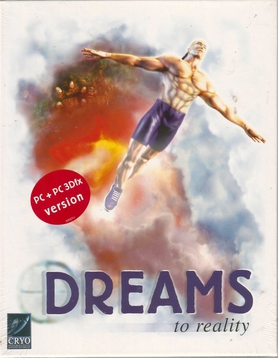
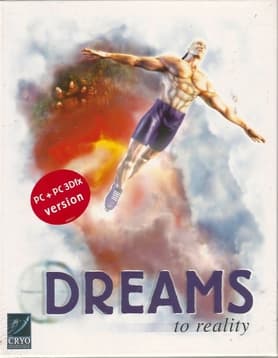 Original game image
About
A static recompilation of the retail Windows game: its executable (GDIDREAM.EXE) is lifted instruction by instruction to C, compiled with clang and linked against a hand-written host runtime using SDL3, with a GPU renderer on sokol_gfx replacing the original software rasterizer. The game's own code runs unchanged. A Windows pre-release is available and the recompiled game builds and plays on Windows, though full acceptance of the GPU renderer is still open.
How it differs from the original
The window, input and sound are handled by SDL3, and a direct GPU renderer is the default on Windows in place of the original software rasterizer; the original software rendering can still be selected. The game runs straight from the two original disc images without installer, extraction or disc-swap prompt.
Getting started
The Windows release is a single executable that plays from images of your own two discs: a .cue with its .bin files gives CD music, while an .iso plays without music.
Known issues & limitations
- The GPU renderer has seen little real play and stops with a message if it encounters an unsupported case; switch to the original software renderer to continue.
- A frame cap above 30 breaks the original game's physics.
- The game saves automatically on every level entry and has no Save command.
- The final level closes the game after its first scene in every build of the port.
What you need to run it
Features
- Choose between the original software renderer and the new GPU renderer.
- Port settings include window size, scaling filter, frame cap, keyboard remapping, and gamepad options.
- Windows is tested; the Linux build boots to the first level, while macOS has not been built.
How to install
- Start `DreamsToReality.exe`, then choose the cue file for each disc in the launcher; the discs can be selected in either order.
- You can start the game without the launcher with `DreamsToReality.exe --play`.
Controls
- Gamepad settings include mode, direction source, buttons, and deadzones.
- Keypad 1 to 5 toggle hidden debug switches; keypad 5 disables collision and level exits, and pressing the key again undoes it.
Summarised from the project's README.
Additional notes
- Platforms
- Windows is the tested platform, the Linux build boots to the first level, and macOS has not been built.
- No game data
- No game data or game code lives in the repository; the lifted C and builds are generated locally.
FAQ
- What is Dreams to Reality Recompilation?
- Dreams to Reality Recompilation is an open-source recompilation of Dreams to Reality. The original game's compiled code translated into a native program for a new platform, usually a PC port. The original game ran on Windows.
- Do I need the original game files to run Dreams to Reality Recompilation?
- Yes. The project does not include the original game's assets, so you need your own copy.
- How is Dreams to Reality Recompilation licensed?
- project: MIT (everything in this repository); pcrecomp: MIT (pcrecomp). The repository itself is the authoritative source.