Harvest Moon 64 Port
An existing game or its source code brought to another platform.
Based on Harvest Moon 64
compare all 3 clones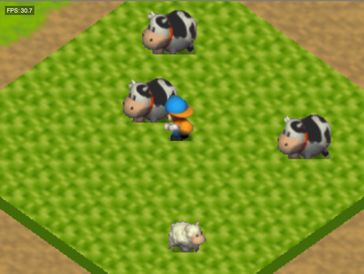
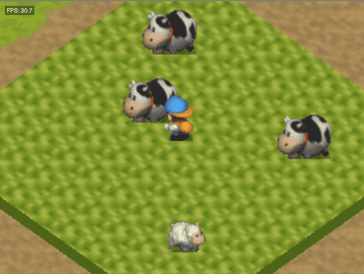 Original game image
About
An Android port of Harvest Moon 64: Recompiled, itself a static recompilation of Harvest Moon 64 built on N64: Recompiled and RT64. This fork adds touch controls, an Android launcher with a file picker, and a second-screen companion dashboard for dual-display handhelds such as the AYN Thor.
How it differs from the original
Adds an N64-style touch overlay and, on devices with a second display, a live dashboard showing clock and calendar, money, stamina, a farm summary and tools. Everything the upstream desktop project does is stated to work unchanged.
Getting started
Install the APK from the releases page, tap Start Game and pick your own NTSC-U Harvest Moon 64 ROM (.z64, .v64 or .n64) in the file picker. The ROM is copied into the app's private storage, and no game assets ship with the APK. It needs Android 9 or newer on arm64-v8a and a GPU with Vulkan 1.1 or newer.
Known issues & limitations
- Other game versions may only be supported in the future; the project asks for a North American copy.
- Overlays such as MSI Afterburner and Wallpaper Engine can cause performance issues that prevent correct rendering.
What you need to run it
Features
- The game can run at the monitor's refresh rate or at its original framerate; changing the framerate does not affect gameplay.
- Any aspect ratio is supported, including widescreen and ultrawide; the HUD can be positioned at 16:9 in ultrawide.
- Community mods and texture packs can be installed, and mods can be toggled in the mod menu.
- Saving, loading, travel between places, and pausing happen in the blink of an eye.
How to install
- Download the APK from Releases and install it; allow your browser or file manager to install unknown apps if prompted.
- Launch the app, tap Start Game, then select your game ROM in the file picker.
Controls
- Tap the toggle to hide the overlay while using a physical controller, or disable it in Settings → General → Touch Controls.
- Tap a tool or item on the second-screen dashboard to equip it without pausing.
Summarised from the project's README.
Licensing & legal
- The fork is licensed GPL-3.0, the same as upstream.
FAQ
- What is Harvest Moon 64 Port?
- Harvest Moon 64 Port is an open-source port of Harvest Moon 64. An existing game or its source code brought to another platform. The original game ran on Android.
- Do I need the original game files to run Harvest Moon 64 Port?
- Yes. The project does not include the original game's assets, so you need your own copy.
- How is Harvest Moon 64 Port licensed?
- project: GPL-3.0 (project code). The repository itself is the authoritative source.
More like Harvest Moon 64 Port
Original game imageOriginal game image