Hydro Thunder Port
An existing game or its source code brought to another platform.
Based on Hydro Thunder
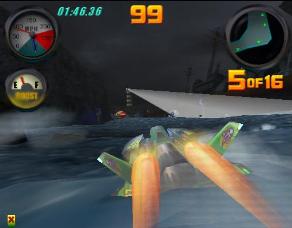
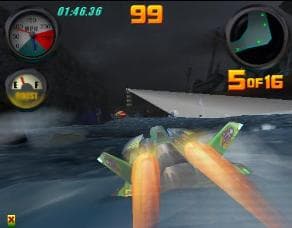 Original game image
About
An unofficial Windows port of the arcade game Hydro Thunder, built as an executable that wraps the original arcade game code. Calls to the original embedded operating system and Glide APIs are replaced with win32, XInput and dgVoodoo2 calls, and parts of the game have been decompiled and rewritten in C.
How it differs from the original
The README says the rewrite makes it possible to play online or on a local network with up to 16 racers, and it adds a reworked operator menu, rebindable keyboard and XInput controls, and FREE PLAY on by default.
Getting started
No game files are included; you need the arcade's hard disk image, hydro.chd, as used by MAME (version 1.0.0 of the hydro set). Put it next to hydro.exe and run it; the first run extracts the game files into a data folder, and the game boots to the operator menu, where START THE GAME begins single-player racing.
Known issues & limitations
- Linked units must run the same game version.
What you need to run it
Features
- The port includes the arcade game and operator menu, with FREE PLAY enabled by default.
- You can play windowed or full screen at resolutions offered by dgVoodoo2.
- The game supports keyboard and XInput gamepads, with rebindable controls.
- You can host or join internet or local-network lobbies with up to 16 players.
How to install
- Download the latest release and unzip it anywhere.
- Put `hydro.chd` next to `hydro.exe` or in a listed `hydro` folder, or select it when prompted.
- Run `hydro.exe`; on first run, it extracts the game files into `data\`.
- The game opens at the operator menu; adjust settings and select START THE GAME to race solo, or NETWORK LOBBY to host or join.
- You can bypass the operator menu by launching with `hydro.exe --skip-menu`.
Controls
- Use Up/Down arrows for throttle and the right trigger for throttle; the left trigger reverses.
- Space or gamepad A/Start activates boost or start.
- Insert a coin with 5 or gamepad Back.
- F1 gives service credit; F2 opens the operator menu.
- Use -/= for volume and Esc to quit.
- In the operator menu, Up/Down move, Enter selects, and Esc or Backspace goes back; controls can be rebound under PC SETTINGS.
Summarised from the project's README.
Additional notes
- Requirements
- Windows 10 or 11 and a Direct3D 11 capable graphics card.
- Tip
- Starting with hydro.exe --skip-menu bypasses the operator menu.
FAQ
- What is Hydro Thunder Port?
- Hydro Thunder Port is an open-source port of Hydro Thunder. An existing game or its source code brought to another platform. The original game ran on Windows.
- Do I need the original game files to run Hydro Thunder Port?
- Yes. The project does not include the original game's assets, so you need your own copy.
- How is Hydro Thunder Port licensed?
- project: MIT (project code). The repository itself is the authoritative source.
- Are original game files included?
- No. You need the arcade hard disk image `hydro.chd`, as used by MAME.