Sonic Unleashed Port
An existing game or its source code brought to another platform.
Based on Sonic Unleashed
compare all 2 clones Links, repository & details
About
An unofficial Android port of Unleashed Recompiled that plays the Xbox 360 version of Sonic Unleashed natively. It uses static recompilation rather than emulating an Xbox 360, and includes an Android app, touch controls, gamepad support, a mod manager and a custom Vulkan driver for many Qualcomm Adreno GPUs. It is described as experimental, and the game files must come from your own legally acquired Xbox 360 copy.
How it differs from the original
It adds Android-specific features: on-screen touch controls with a layout editor, in-app installation of game files and mods, SD card storage, and a driver manager. Android defaults are a 50% resolution scale, no anti-aliasing and motion blur off.
Getting started
It needs a 64-bit Android 10+ device with an Adreno GPU (Mali is experimental) and several gigabytes of free storage. Install the APK, tap Install game files in the launcher, pick your game dump as a ZIP or folder, then tap Launch game. Mods are added through the launcher's Mods card.
History
A large part of the port was written with AI tools, primarily Anthropic's Claude, under maintainer direction, with the maintainers testing builds on real devices.
Known issues & limitations
- Performance and stability vary with the phone, Android version, and GPU driver.
- Desktop-only code mods and mods that depend on Windows DLLs do not work on Android.
- Third-party controller prompts may not match every controller exactly.
- An incompatible Vulkan driver can cause graphical corruption, freezes, or startup crashes.
What you need to run it
Features
- The port runs the full game, including title screens and regular gameplay.
- The app supports touch controls with multi-touch, camera control, and an editor to rearrange the layout.
- Bluetooth and USB controllers are supported.
- The included mod manager supports HMM- and UMM-style mods and per-mod settings.
- The game offers graphics options including resolution scale, texture quality, FPS cap, shadow resolution, and planar reflections.
How to install
- Download the latest APK from the repository's Releases page.
- If Android prompts you, allow your browser or file manager to install apps from unknown sources, then install and open the app.
- In the launcher, choose Install game files and select your game dump as a ZIP archive or extracted folder.
- Alternatively, select the base game, title update, and any optional DLC through the ISO / update / DLC packages option.
- Tap Launch game.
Controls
- The left analog stick becomes an 8-way D-pad in menus, on the title screen, or on the world map.
- Drag on the free right half of the screen to control the camera by default; a dedicated virtual right stick is also available.
- Touch controls collapse to a SKIP button during in-engine cutscenes.
- Arrange or resize touch controls using Arrange touch controls in the launcher.
- Touch the screen to bring back the touch overlay after a physical controller hides it.
Summarised from the project's README.
Licensing & legal
- It is distributed under GPL-3.0, following the upstream project.
Additional notes
- Languages
- The app UI is available in English, Russian, Japanese, German, French, Spanish, Italian and Portuguese.
- Performance
- Resolution scale can go down to 25%, and texture quality, FPS cap, shadow resolution and planar reflections can be lowered for weaker devices.
FAQ
- What is Sonic Unleashed Port?
- Sonic Unleashed Port is an open-source port of Sonic Unleashed. An existing game or its source code brought to another platform. The original game ran on Android.
- Do I need the original game files to run Sonic Unleashed Port?
- Yes. The project does not include the original game's assets, so you need your own copy.
- How is Sonic Unleashed Port licensed?
- project: GPL-3.0 (project code); project: their own licenses (third-party components). The repository itself is the authoritative source.
- What should I do if the game cannot find my files?
- Use Install game files (.zip / folder) in the launcher; if copying files manually, check that the selected directory contains the game, update, and, if available, dlc folders in the location exposed by UnleashedRecomp.
- What can I try if the game opens to a black screen or has corrupted graphics?
- Return to the bundled driver, disable anti-aliasing/MSAA, keep resolution scale at 50% while testing, and restart the app after changing the driver.
- What should I try if sound crackles or stops after using Bluetooth?
- Pause briefly after connecting or disconnecting the device, then return to the game. If audio does not recover, restart the app.
More like Sonic Unleashed Port
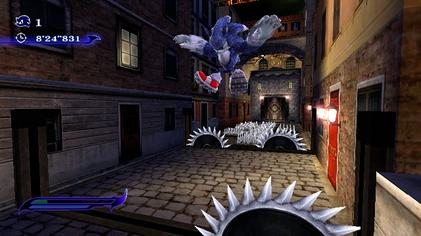
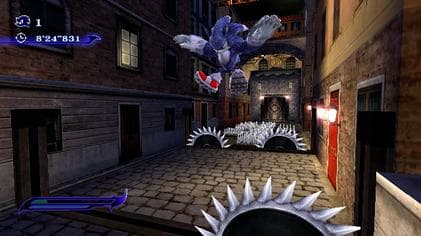 Original game image