Space Channel 5 Recompilation
The original game's compiled code translated into a native program for a new platform, usually a PC port.
Based on Space Channel 5
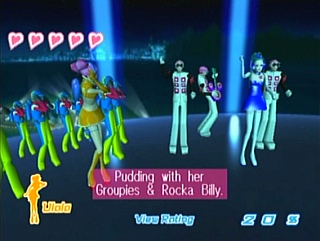
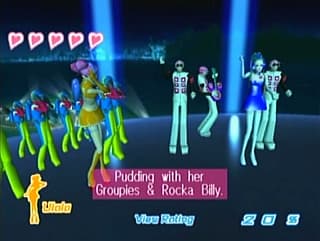 Original game image
About
An unofficial native port of the USA Dreamcast release, titled Space Channel 5 Native, with configurable controls, display options and compiler-free downloads. The game's SH4 code is translated ahead of time into native modules without an interpreter or dynamic-recompiler fallback, with Flycast providing device, rendering and audio components.
How it differs from the original
It offers display modes including original 4:3, fit, crop, stretch and an experimental expanded 16:9 geometry, optional geometry interpolation with a 60 Hz target, remappable controls, a manual rhythm timing offset, optional texture packs and an experimental native mod interface. Prerecorded backgrounds stay 4:3.
Getting started
Download the archive for Windows, Linux (x64 or ARM64) or macOS (Apple Silicon or Intel), open the launcher, select your supported USA Dreamcast GDI with all its track files kept together, and choose Play. No Python, Git or compiler is needed. The disc files must stay available during play because music, video and other assets are read from them, and an OpenGL 3.3-capable graphics driver is needed.
Known issues & limitations
- Expanded geometry is experimental; prerecorded backgrounds remain 4:3, and game-side object culling can limit what appears at the edges.
- Interpolation is off by default, can add about 17 ms of visual delay, and falls back when geometry cannot be matched.
- Prerecorded video retains its original cadence.
- Linux and macOS still need hands-on gameplay, graphics, audio, and controller testing.
- macOS apps are ad-hoc signed, not notarized.
- Minimum CPU/RAM requirements and compatibility with older operating systems have not been established.
- Occasional frame gaps remain, and broader PC compatibility testing is still needed.
What you need to run it
Features
- The game runs as native gameplay without an SH4 interpreter or dynamic-recompiler fallback.
- Display modes include original 4:3, widescreen fit, crop, stretch, and experimental expanded 16:9 geometry.
- Optional geometry interpolation targets 60 Hz while game logic, input, and music keep their original timing.
- Keyboard and controller actions can be remapped, and volume, audio buffering, and rhythm timing offset can be adjusted.
- Optional texture replacement and an experimental native mod interface are available.
- Steam Input can translate Steam Controller inputs when launched through Steam.
How to install
- Download and extract the archive for your computer.
- Open SpaceChannel5.exe on Windows, SpaceChannel5 on Linux, or SpaceChannel5.app on macOS.
- Select your USA GDI with its track files kept together, then choose Play; the launcher validates and imports the required files.
- Keep the disc files available while playing because music, video, and other assets are read from them.
Controls
- Arrow keys control directions.
- A is Dreamcast X.
- S is Dreamcast Y.
Summarised from the project's README.
Licensing & legal
- Flycast-derived components are GPL-2.0-or-later, and Dreamcast-Forge retains its MIT license.
Additional notes
- Supported version
- Only the USA Dreamcast revision in GDI format is supported, and the importer rejects other regions, revisions and disc formats.
FAQ
- What is Space Channel 5 Recompilation?
- Space Channel 5 Recompilation is an open-source recompilation of Space Channel 5. The original game's compiled code translated into a native program for a new platform, usually a PC port. The original game ran on Dreamcast.
- Do I need the original game files to run Space Channel 5 Recompilation?
- Yes. The project does not include the original game's assets, so you need your own copy.
- How is Space Channel 5 Recompilation licensed?
- Flycast: GPL-2.0-or-later (Flycast-derived components); Dreamcast-Forge: MIT (Dreamcast-Forge). The repository itself is the authoritative source.
- Do I need to build the game myself?
- No. Use a download; the launcher imports supported files from your disc without compiling code.
- Which version is supported?
- The supported USA Dreamcast revision in GDI format; other regions, revisions, and disc formats are not currently supported by the importer.
- Does this support arbitrary refresh rates or fully widescreen video?
- No. Interpolation currently targets 60 Hz geometry presentation, and prerecorded backgrounds remain 4:3.