Syphon Filter Port
An existing game or its source code brought to another platform.
Based on Syphon Filter
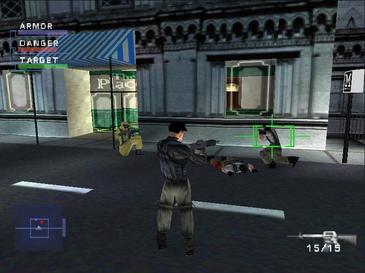
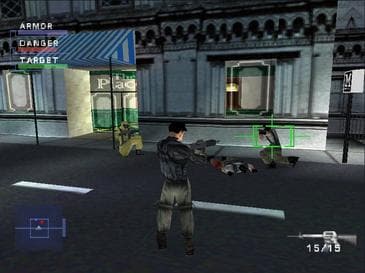 Original game image
About
Syphon Filter PC is an unofficial Windows PC runtime for the NTSC-U 1.1 release of Syphon Filter (SCUS-94240). It combines the original PlayStation gameplay code with a native Windows host for rendering, input, menus, audio and FMV playback.
How it differs from the original
It adds a launcher with Graphics and Controls tabs, a Dossiers gallery, configurable resolution, aspect mode, texture filtering and SMAA/MSAA, and an optional Russian text pack. The launcher interface is available in English and Russian.
Getting started
The repository contains no game or disc image; a BIN/CUE image of the USA v1.1 release is required. Download the Windows x64 zip from Releases, run syphon_filter.exe, browse to the CUE file and select Play, keeping every BIN file next to its CUE file.
Known issues & limitations
- The project is still a public test.
- Other regions, revisions, repacks, and modified images are not expected to work.
- The launcher intentionally has no mission-selection or cheat controls.
What you need to run it
Features
- The complete 20-mission campaign supports checkpoint restores and persistent mission unlocks.
- Graphics options include resolution, aspect mode, fullscreen, frame pacing, filtering, SMAA/MSAA, and optional volumetric effects.
- An optional Russian text pack covers missions, menus, briefings, weapon descriptions, and map labels.
- The project supports remappable keyboard and mouse controls plus retail-style gamepad controls.
- Rendering supports high-resolution, perspective-correct, Z-buffered scenes and PGXP geometry.
- The project restores the PS1-style HUD, inventory, objectives, weapons, and map pages, with position and objective indicators.
How to install
- Extract the ZIP into a new folder, then run syphon_filter.exe.
- In Launch, choose Browse and select the CUE file for the USA v1.1 game image; review Graphics and Controls, then select Play.
- Keep every BIN file beside its CUE file and do not rename files referenced by the CUE sheet.
Controls
- F11 or Alt+Enter toggles borderless fullscreen.
- Escape or Enter opens the in-game menu.
Summarised from the project's README.
Licensing & legal
- The README states the project is not affiliated with or endorsed by Sony Interactive Entertainment.
Additional notes
- Supported image
- Only the USA NTSC-U v1.1 BIN/CUE image is supported; other regions, revisions, repacks and modified images are not expected to work.
FAQ
- What is Syphon Filter Port?
- Syphon Filter Port is an open-source port of Syphon Filter. An existing game or its source code brought to another platform. The original game ran on Windows.
- Do I need the original game files to run Syphon Filter Port?
- Yes. The project does not include the original game's assets, so you need your own copy.
- How is Syphon Filter Port licensed?
- project: MIT (project-owned source code). The repository itself is the authoritative source.