Wii Party Recompilation
The original game's compiled code translated into a native program for a new platform, usually a PC port.
Based on Wii Party
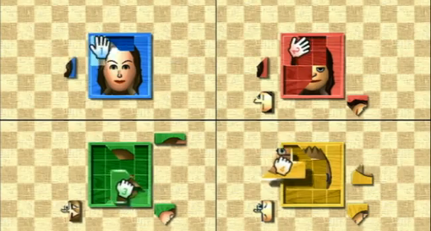
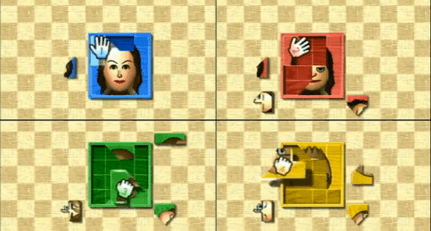 Original game image
About
A static recompilation of Wii Party for native PC that translates the game's PowerPC code into C++ and compiles it into a Windows or Linux program. The console hardware (GPU, DSP audio, Bluetooth, IOS, disc and NAND) is reimplemented underneath. No game files are distributed; the launcher builds the game on the user's PC from their own disc copy. The README lists the status as Alpha with an estimated 84% overall progress.
How it differs from the original
The README says it runs at a locked 60 fps (PAL60) at up to 6x the console's resolution, with an in-game options menu, key bindings, save backups and custom textures. Real Wii Remotes are not supported; input is an emulated Wii Remote via keyboard, mouse or up to four gamepads.
Getting started
Download the launcher from the releases page, choose your own copy of Wii Party (.iso, .wbfs, .rvz, .ciso, .wia or .gcm), press Install, then Play. Linux support is experimental via an AppImage launcher.
Known issues & limitations
- Modes other than Board Game Island and Free Play have not been played through in full.
- Real Wii Remotes are not supported yet.
- Linux is experimental and has only been tested on Ubuntu 24.04 under WSL.
- The macOS version is planned for after Linux.
What you need to run it
Features
- The game runs at a locked 60 fps and up to six times the console's resolution.
- Board Game Island sessions and every Free Play minigame are playable.
- The in-game options menu opens with F10.
- Custom textures are supported.
How to install
- For an offline Windows install, download and unzip the offline package, open its launcher, and turn on Offline mode in Settings.
Controls
- The mouse controls the pointer; left click, Enter, or Space act as A, while right click or Backspace act as B.
- Middle click or Left Shift shakes; the mouse wheel or T/G swings up or down.
- Q, E, R, and F control tilt; Tab switches upright or sideways grip.
- F9 takes a screenshot, F10 opens the options menu, and F11 toggles full screen.
- F12 captures a frame for debugging.
- Every key can be changed in the launcher's Controls page or in settings.ini.
Summarised from the project's README.
Status & roadmap
- Board Game Island and every Free Play minigame have been played, while the other modes have been tried but not played through in full.
- Beta requires every mode and all 80 minigames to be checked; a Mii editor, ultrawide support and online play are also planned.
Licensing & legal
- Licensed under GPL-3.0-or-later.
FAQ
- What is Wii Party Recompilation?
- Wii Party Recompilation is an open-source recompilation of Wii Party. The original game's compiled code translated into a native program for a new platform, usually a PC port. The original game ran on Wii.
- Do I need the original game files to run Wii Party Recompilation?
- Yes. The project does not include the original game's assets, so you need your own copy.
- How is Wii Party Recompilation licensed?
- project: GPL-3.0-or-later (project code). The repository itself is the authoritative source.