AeroGauge Recompilation
The original game's compiled code translated into a native program for a new platform, usually a PC port.
Based on AeroGauge
compare all 2 clones Links, repository & details
About
AeroGauge: Recompiled is a PC version of the Nintendo 64 racing game AeroGauge that runs your own copy of the game in a native window. Targets are 64-bit Windows 10 or later with Direct3D 12, 64-bit Linux with Vulkan, and Android 9 or later on ARM64; macOS is not supported. It includes an in-game settings screen.
How it differs from the original
Adds graphics options such as resolution, widescreen, HUD placement, anti-aliasing and full-course geometry, an Easy Turbo plus Boost Start assist, split-screen two-player controller assignment, and experimental mod and RT64 texture-pack support.
Getting started
Download the archive for your system from Releases, extract it, and put your legally dumped USA or Japanese Rev A ROM in that folder, named AeroGauge (USA).z64 or AeroGauge (Japan) (Rev A).z64. Start the aerogauge_modern executable on Windows or Linux; if both ROMs are present USA is the default. On Android, install the APK and use Import ROM.
Known issues & limitations
- Full-course geometry is experimental and may reduce performance or cause visual errors.
- Mod support is experimental, and packages must target AeroGauge Recompiled.
- macOS is not a supported target in this branch.
- Full-course geometry and mod support are experimental, and platform, driver and controller coverage is incomplete.
What you need to run it
Features
- Enhancements include draw-distance and course-geometry options, plus separate Easy Turbo + Boost Start options for each player.
- The project supports installing and managing AeroGauge packages and RT64 texture packs; mod support is experimental.
- Two players can race in split screen.
- The Japanese Rev A version retains its original title, vehicle, course, and difficulty names, announcer, and game behavior.
How to install
- Download the archive for your system from GitHub Releases and extract it to a folder.
- Start `aerogauge_modern.exe` on Windows or `./aerogauge_modern` on Linux.
Controls
- Steer with the arrow keys or W/A/S/D, or the gamepad left stick.
- Drift with Z or the gamepad left trigger.
- Open Settings during play with Escape, F10, or controller Back.
- Switch fullscreen with F11 or Alt+Enter.
Summarised from the project's README.
Additional notes
- Saves
- Each region has separate game saves.
FAQ
- What is AeroGauge Recompilation?
- AeroGauge Recompilation is an open-source recompilation of AeroGauge. The original game's compiled code translated into a native program for a new platform, usually a PC port. The original game ran on N64.
- Do I need the original game files to run AeroGauge Recompilation?
- Yes. The project does not include the original game's assets, so you need your own copy.
More like AeroGauge Recompilation
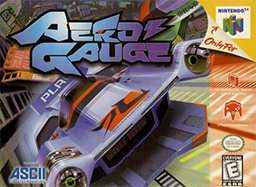
 Original game image