Crash Bandicoot 2: Cortex Strikes Back Recompilation
The original game's compiled code translated into a native program for a new platform, usually a PC port.
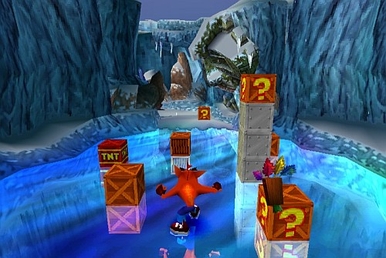
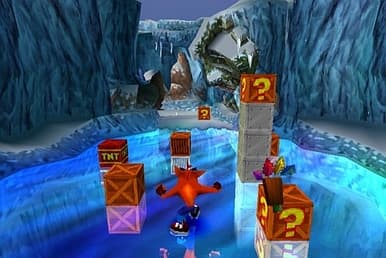 Original game image
About
A project that translates the PlayStation game Crash Bandicoot 2: Cortex Strikes Back to native code and runs it directly rather than emulating it. A launcher takes a disc image you already own, builds the game on your machine and runs it. The README says the game is completable from start to finish but has minor sound and graphical issues, and calls it a preview rather than a finished release.
How it differs from the original
The launcher offers optional enhancements such as PGXP precision, fast loading, CD speed and bezel artwork, plus widescreen gameplay aspects and post-processing options. It also has an experimental, opt-in 60 FPS mode, which is off by default, and optional assists like keeping 99 lives.
Getting started
You need a disc image you own (.cue with .bin, or .chd), and the build targets the North American release with serial SCUS-94154. In the launcher, choose your disc under Setup, press Build the game and wait for the first build, which the README says takes five to twenty minutes, then use the Play page. No PlayStation BIOS is required because OpenBIOS is included.
Known issues & limitations
- The project is a work in progress: it is completable, but still has minor sound and graphical issues.
- No-damage assist does not prevent falls, crushing, or drowning, and may stall a sequence that expects Crash to be interruptible.
What you need to run it
Features
- The game runs as native code instead of being emulated.
- You can choose internal resolution, aspect ratio, and output settings, with anti-aliasing and other post-processing options.
- A 16:9 or 14:9 gameplay aspect widens the view.
How to install
- Run the launcher, open Setup, and choose your disc image.
- Press Build the game; when it finishes, the Play page is ready.
Controls
- Home opens the pause menu; on a controller, use Guide or Start+Select.
- F7 opens save-state slots.
- Hold Tab to fast-forward, or set it to toggle on and off.
- Alt+Enter or Ctrl+F toggles fullscreen.
- Keypad + and - adjust volume.
Summarised from the project's README.
Licensing & legal
- The psxrecomp recompiler and runtime is under PolyForm Noncommercial 1.0.0, which does not permit selling it.
Additional notes
- Requirements
- Windows 64-bit 10 or later is required, with about 3 GB of disk space while building and roughly 100 MB once built.
- 60fps caveat
- The 60 FPS mode is unverified for scripted sequences, cutscene pacing, music and sound timing, bosses, vehicle levels and FMV transitions.
FAQ
- What is Crash Bandicoot 2: Cortex Strikes Back Recompilation?
- Crash Bandicoot 2: Cortex Strikes Back Recompilation is an open-source recompilation of Crash Bandicoot 2: Cortex Strikes Back. The original game's compiled code translated into a native program for a new platform, usually a PC port. The original game ran on PlayStation.
- Do I need the original game files to run Crash Bandicoot 2: Cortex Strikes Back Recompilation?
- Yes. The project does not include the original game's assets, so you need your own copy.
- How is Crash Bandicoot 2: Cortex Strikes Back Recompilation licensed?
- psxrecomp: PolyForm Noncommercial 1.0.0 (recompiler and runtime); OpenBIOS (PCSX-Redux): MIT (OpenBIOS); SDL3: zlib licence (SDL3); Qt / PySide6: LGPL v3 (Qt / PySide6). The repository itself is the authoritative source.
- What should I check if the game will not start?
- Confirm the build finished on the Setup page; the log there records why if it did not.
More like Crash Bandicoot 2: Cortex Strikes Back Recompilation
Original game image