Dragon Ball Z: Burst Limit Recompilation
The original game's compiled code translated into a native program for a new platform, usually a PC port.
Based on Dragon Ball Z: Burst Limit
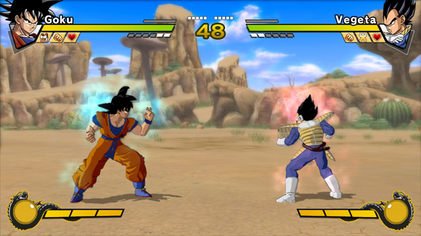
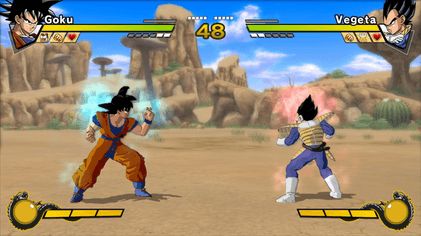 Original game image
About
A static recompilation of Dragon Ball Z: Burst Limit (Xbox 360) to native Windows x64, built on the ReXGlue recompiler and runtime. The README says the game's PowerPC code is translated ahead of time to C++ and compiled with Clang, so it runs as a normal Windows program instead of in an emulator.
How it differs from the original
The README lists a Direct3D 12 renderer, an in-game settings menu on F1, frame rate caps of 30, 60, 120, 144 or unlocked, internal resolution up to 4K, AMD FSR and CAS upscaling, an experimental NVIDIA DLSS/DLAA option, and a field of view option.
Getting started
The README says the repository contains no game data and you need your own legally obtained copy. Only the US (NTSC-U) version works; European/PAL and Japanese versions are not supported.
Known issues & limitations
- Online play has only been tested on LAN or Radmin VPN, not on the public internet without a VPN.
- A wider field of view can reveal missing objects at screen edges.
- FSR 2 and FSR 3 can leave trails behind moving characters.
- DLSS/DLAA can leave faint trails during very fast moves; its upscaling modes have resolution-step limitations.
- Wasteland and Seaside Cliffs show the Mountains background and banner on the stage-select screen.
- The Xbox LIVE friends list and leaderboards are not implemented.
- Running two game copies on one PC can cause dropped frames on slower machines.
What you need to run it
Features
- The frame rate can be capped at 30, 60, 120, 144, or left unlocked.
- Four hidden Z Chronicles costumes are available on character select.
- Free camera mode lets players move the camera, hide the HUD, zoom, and tilt; the game can also be frozen offline.
- Online player matches are supported over LAN or Radmin VPN.
- Players can use texture packs for replacement textures.
- Story cutscenes move characters and the camera at 60 FPS when the game runs at 60 FPS or higher.
How to install
- Download the latest alpha release ZIP and extract it.
- Copy your extracted US game files into the `game_data_root` folder, then run `burstlimit.exe`.
- Steam/Proton users can add `burstlimit.exe` as a non-Steam game and force Proton Experimental in Compatibility settings.
Controls
- Insert toggles free camera; Numpad 0 freezes the game. Both keys can be changed in settings.
- In free camera, A hides the HUD, X freezes the game, Y resets, and B exits.
Summarised from the project's README.
FAQ
- What is Dragon Ball Z: Burst Limit Recompilation?
- Dragon Ball Z: Burst Limit Recompilation is an open-source recompilation of Dragon Ball Z: Burst Limit. The original game's compiled code translated into a native program for a new platform, usually a PC port. The original game ran on Xbox 360.
- Do I need the original game files to run Dragon Ball Z: Burst Limit Recompilation?
- Yes. The project does not include the original game's assets, so you need your own copy.