F-Zero X Port
An existing game or its source code brought to another platform.
Based on F-Zero X
compare all 3 clones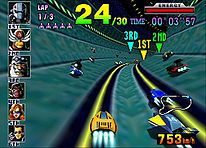
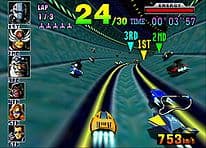 Original game image
About
G-Diffuser is a native PC port of F-Zero X (N64) that includes 64DD Expansion Kit support. It is a fully decompiled source port built on the inspectredc/fzerox matching decompilation and the libultraship runtime, and runs without an emulator at runtime.
How it differs from the original
It adds true widescreen rendering, ultrawide support, black border removal, high-refresh frame interpolation, an in-game enhancement menu, ghost import/export, photo mode, practice lap deltas and texture-pack modding. With the 64DD Expansion Kit it unlocks the Course Edit track editor and the DD cups.
Getting started
The repository ships no Nintendo ROM, disk, IPL or extracted assets; you bring your own dumps and the game data is extracted or loaded locally from them. The in-game enhancement menu opens with F1.
Known issues & limitations
- Players 2–4 on gamepads for VS and split-screen are planned.
- Japanese version support is planned.
- The author warns that frame interpolation is not perfect and may rarely slow down, especially after screen transitions.
What you need to run it
Features
- Includes a ghost library with `.gdg` import/export and a Ghost Browser.
- Texture packs can override textures and be reloaded from the menu.
- Includes photo mode to hide the HUD while paused in a race, and lap deltas in Practice mode.
How to install
- Download a release for your platform.
- Launch the executable, then use the first-boot setup to select or review the ROM, disk image, and IPL ROM; choose “Build game data and continue” to begin extraction.
- Press F1 after setup to open the enhancement menu.
Controls
- Open or close the enhancement menu with F1, Escape, or Gamepad Back.
- Toggle fullscreen with F11.
- Controller navigation of the menu is optional and can be enabled with its controller-navigation toggle.
Summarised from the project's README.
FAQ
- What is F-Zero X Port?
- F-Zero X Port is an open-source port of F-Zero X. An existing game or its source code brought to another platform. The original game ran on Windows and Linux.
- Do I need the original game files to run F-Zero X Port?
- Yes. The project does not include the original game's assets, so you need your own copy.
- How is F-Zero X Port licensed?
- project: MIT License (Original G-Diffuser code and documentation). The repository itself is the authoritative source.
- Will my disk file get corrupted?
- No. Disk writes use a separate save sidecar, and the original `.ndd` image is never modified.
More like F-Zero X Port
Original game imageOriginal game image