Forza Horizon Recompilation
The original game's compiled code translated into a native program for a new platform, usually a PC port.
Based on Forza Horizon
 Links, repository & details
About
Pinyon Shift is the Xbox 360 release of Forza Horizon recompiled to run natively on Windows, built on your own PC from your own disc. It is not an emulator: the game's PowerPC code is translated ahead of time into C++ with ShiftGlue and compiled for x86-64, with a native renderer on Vulkan (default) or Direct3D 12. The README calls it a playable preview that is early and imperfect.
How it differs from the original
It also includes the Treasure Map add-on, on by default, which was originally sold for Tokens through a service that no longer exists.
Getting started
Download the launcher, drop onto it an ISO you dumped yourself from the supported USA retail base disc (serial MS-2505), confirm ownership and choose Verify and build. The first build can take 20 to 60 minutes and needs roughly 25 GB of free disk space; then choose Play, and press F6 in game for settings. It needs Windows 10 or 11 x64 and a Vulkan 1.3 or Direct3D 12 GPU, with only NVIDIA qualified so far.
Known issues & limitations
- Crowd and purchase animations may not run at the right speed above 30 fps.
- The launcher is not code-signed yet, so Windows may identify it as an unrecognized app.
What you need to run it
Features
- The game can render at up to 120 fps while keeping the simulation in step.
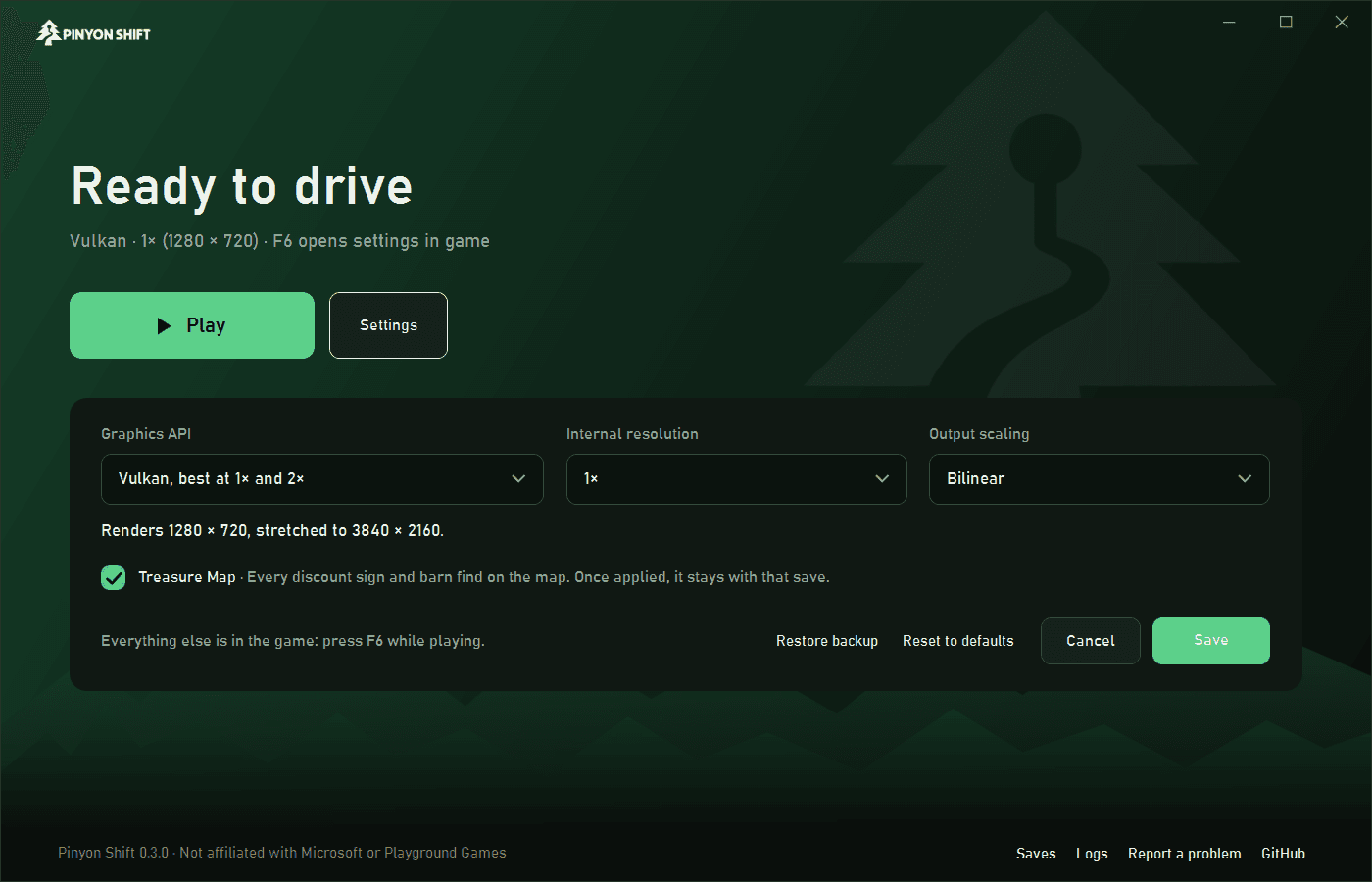
- Graphics options include 1x to 4x internal resolution, FSR 1 scaling, filtering, FXAA, and optional motion blur and depth of field.
- In-game settings cover display, graphics, audio, and controls; the trainer offers credits, game speed, time of day, free camera, and map collectibles.
- The Treasure Map add-on is included and on by default; it can be turned off in the launcher.
- The project supports ultrawide displays, with a 16:9 HUD and a field-of-view setting.
- The project supports mods, including native plugins, file and archive overrides, database patches, and texture replacement.
- The project supports achievements, photo export, save backups, and an in-game trainer.
How to install
- Download PinyonShift-Launcher.zip from the latest release, extract its two files, and run PinyonShiftLauncher.exe.
- Drop your personally dumped ISO for a supported original disc onto the launcher, or select it with Choose ISO.
- Confirm ownership, then choose Verify and build; leave the launcher open while setup and the first build finish.
- Choose Play to start, and press F6 in game to open settings.
- To keep the installation's files in one movable folder, place an empty portable.txt beside the launcher or start it with --portable.
Summarised from the project's README.
Licensing & legal
- Only independently authored project files are under the BSD 3-Clause License, and the project says it is not affiliated with or endorsed by Microsoft, Xbox, Turn 10 Studios or Playground Games.
Additional notes
- Unsigned
- The preview launcher is not code-signed yet, so Windows may flag it as an unrecognized app.
FAQ
- What is Forza Horizon Recompilation?
- Forza Horizon Recompilation is an open-source recompilation of Forza Horizon. The original game's compiled code translated into a native program for a new platform, usually a PC port. The original game ran on Xbox 360.
- Do I need the original game files to run Forza Horizon Recompilation?
- Yes. The project does not include the original game's assets, so you need your own copy.
- How is Forza Horizon Recompilation licensed?
- project: BSD 3-Clause License (independently authored project files). The repository itself is the authoritative source.