Outpost Kaloki X Recompilation
The original game's compiled code translated into a native program for a new platform, usually a PC port.
Based on Outpost Kaloki
 Links, repository & details
About
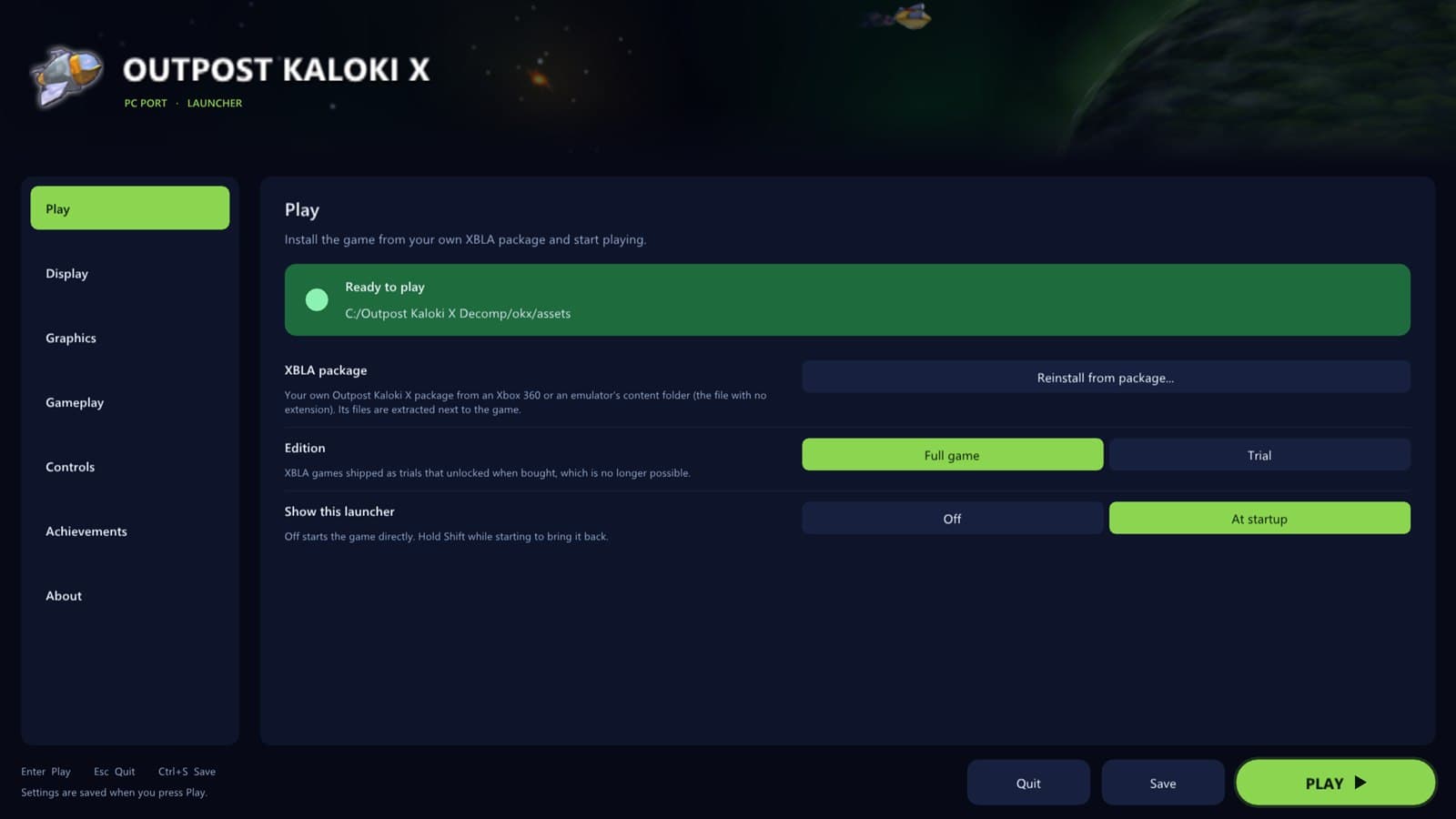
Outpost Kaloki X PC Port translates the original Xbox 360 game code to native PC code with the ReXGlue SDK, offering a launcher with modern PC options. It was made almost entirely with Claude Code, with the repository owner directing and testing the work.
How it differs from the original
Compared with the Xbox 360 version it renders at up to 7680 x 4320 instead of 1280 x 720 and runs at 30 to 240 fps or unlimited instead of 30 fps. It adds FXAA, 2x MSAA, texture filtering up to 16x, windowed or fullscreen display, controller remapping, keyboard and mouse support, and camera options. The full game is unlocked instead of being a trial that needed purchase.
Getting started
You need Windows 10 or 11 with a DirectX 12 graphics card and your own Outpost Kaloki X Xbox Live Arcade package. Download the Windows builder from the latest release, unzip it and double-click the batch file, let it install the build tools if asked, and pick your package. The build takes 10 to 20 minutes, and no game files are downloaded or uploaded.
Known issues & limitations
- A Linux AppImage is coming soon.
What you need to run it
Features
- Choose a frame rate from 30 to 240 fps or unlimited.
- Use FXAA, FXAA Extreme, real 2x MSAA, and texture filtering up to 16x.
- Play windowed or fullscreen, choose a monitor, and keep 16:9 with borders or stretch the image.
- Use any controller with remapping, or play with keyboard and mouse.
- The launcher includes all 12 achievements, pop-up and sound options, and a bonus Welcome achievement the first time you play.
How to install
- Download and unzip the Windows builder from the latest release.
- Double-click Build Outpost Kaloki X.bat.
- Wait for the process to finish; the game appears in the OutpostKalokiX folder, with an optional desktop shortcut.
Controls
- Hold Shift while starting to open the launcher.
Summarised from the project's README.
Media
Additional notes
- Achievements
- All 12 achievements are shown in the launcher, with Xbox 360 style pop-ups and a choice of sound.
- Hotkeys
- F2 toggles the frame counter, F3 the performance overlay and F7 the achievements overlay; holding Shift while starting opens the launcher.
FAQ
- What is Outpost Kaloki X Recompilation?
- Outpost Kaloki X Recompilation is an open-source recompilation of Outpost Kaloki. The original game's compiled code translated into a native program for a new platform, usually a PC port. The original game ran on Xbox 360.
- Do I need the original game files to run Outpost Kaloki X Recompilation?
- Yes. The project does not include the original game's assets, so you need your own copy.
- Why does the project use a builder instead of a ready-made download?
- The game's code belongs to its creators and cannot be shared, so the builder makes the PC version on your computer from your own copy.