Pilotwings 64 Recompilation
The original game's compiled code translated into a native program for a new platform, usually a PC port.
Based on Pilotwings 64
compare all 3 clones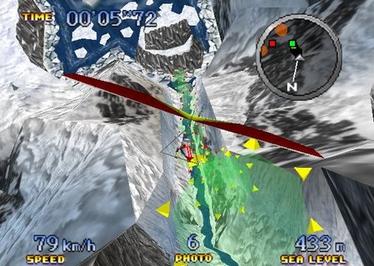
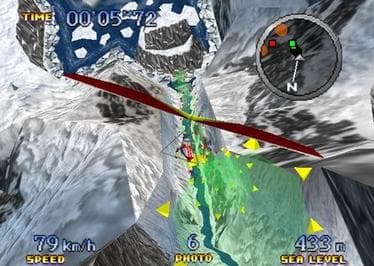 Original game image
About
Birdman64 is a port of Pilotwings 64 to a native PC game for Windows and Linux, not an emulator. The game's own code, taken from the Pilotwings 64 decompilation, is built on your PC from your own cartridge dump (ROM) and runs on a Rust replacement for the N64 operating system layer, with a Rust renderer and audio engine. Only the US version of the game works, and macOS is not supported.
How it differs from the original
It adds widescreen up to 21:9, your monitor's full refresh rate, MSAA and render scale options, optional texture packs, an in-game settings screen with rebindable keys and buttons, and OLED care that drifts the HUD and dims the screen slightly. Menu backgrounds stay 4:3 by design.
Getting started
Download the Windows zip or the Linux AppImage from Releases and extract it, keeping the toolchain folder next to the executable. On first start choose your US Pilotwings 64 ROM; the game then downloads about 1 MB of the open source decompilation and builds it on your machine, which needs internet once and about 200 MB of disk space. After that it starts normally, with W A S D to move, Space as A, Left Shift as B and Enter as Start.
History
Birdman64 went from an empty repository to a 1.0 release in six days (27 September to 3 October 2026), designed and led by NoahVl, who directed a team of AI coding agents.
Known issues & limitations
- macOS is not supported because the port needs a memory layout that macOS on Apple Silicon does not allow.
- Switch 2 controllers over Bluetooth are experimental.
What you need to run it
Features
- PNG texture packs keyed by content hash are supported.
- OLED care options drift the HUD and dim the screen to spread wear.
- Gamepads are supported, including Switch 2 controllers over Bluetooth as an experimental option.
- The in-game settings screen can rebind every key and button and saves the settings to `pw64.toml`.
How to install
- Download the Windows x64 zip or Linux AppImage from the Releases page.
- At first start, select your US game ROM when prompted, or place it next to the executable so it is found automatically.
- Wait for the one-time preparation to finish; it needs internet and about 200 MB of disk space.
Controls
- WASD or the arrow keys steer and move through menus.
- Left Shift goes back and performs gentle thrust or parachute actions.
- Z or Left Ctrl is held to aim the camera or missile and released to shoot.
- E changes the camera view.
- I, J, K, and L look around.
Summarised from the project's README.
Licensing & legal
- The original code in the repository is released under the MIT License.
Additional notes
- Saves
- The save file is a raw N64 EEPROM image, so a save from emulators such as Project64, mupen64plus or simple64 can be copied over it.
FAQ
- What is Pilotwings 64 Recompilation?
- Pilotwings 64 Recompilation is an open-source recompilation of Pilotwings 64. The original game's compiled code translated into a native program for a new platform, usually a PC port.
- Do I need the original game files to run Pilotwings 64 Recompilation?
- Yes. The project does not include the original game's assets, so you need your own copy.
- How is Pilotwings 64 Recompilation licensed?
- project: MIT (Birdman64 own code). The repository itself is the authoritative source.
- What is a ROM?
- A ROM is a copy of the game cartridge's data, made with a cartridge dumper from a cartridge you own; the project needs the US version.
- Where are my saves?
- The save is in `pw64.eep` in the save folder.
- What should I do if Windows shows a SmartScreen warning?
- Click **More info**, then **Run anyway**.
- What should I do if the Linux AppImage does not start?
- Install `libfuse2` or run the AppImage with `--appimage-extract-and-run`.
More like Pilotwings 64 Recompilation
Original game imageOriginal game image