Ridge Racer V Recompilation
The original game's compiled code translated into a native program for a new platform, usually a PC port.
Based on Ridge Racer V
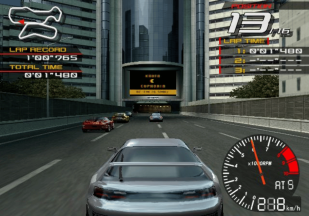
 Original game image
About
Fukami is a native port of Ridge Racer V (PlayStation 2, USA, SLUS-20002) for macOS on Apple silicon and Linux on Steam Deck, with Windows listed as coming soon. It is made by static recompilation: the game's MIPS code is translated ahead of time into C++ and compiled into a normal application, with a PS2 hardware layer built from PCSX2's graphics code underneath. It is not an emulator and cannot run other games.
How it differs from the original
Adds 60 fps progressive output, internal resolution up to 8x, anti-aliasing and filtering options, and real widescreen where the camera renders a wider view. Optional enhancements include more cars at full detail, a longer draw distance and faster loading.
Getting started
You need your own copy of Ridge Racer V (USA) as a CHD file made from a disc you own; the project does not provide game files. Download a build from the project's releases page, on macOS move the app to Applications and use right-click Open the first time, on Steam Deck extract the archive in Desktop Mode and run the included install script. On first launch it asks for your CHD, checks it is the USA disc and unpacks the game files once.
Known issues & limitations
- Only the USA release is supported.
- One early test stalled during a long live session with many cars on screen; replaying the same session worked, and the cause is unknown.
- In-game controller remapping is not available yet.
- Audio has not been checked against a full hardware comparison.
- One early test of a long live session with many cars on screen stalled; the cause is not identified.
What you need to run it
Features
- Graphics options include internal resolution up to 8x, anti-aliasing, FXAA, CAS sharpening, anisotropic filtering, and mipmaps.
- Real widescreen supports 16:9, 16:10, and 21:9; the intro retains its letterboxed framing.
- Optional enhancements include more cars at full detail, longer draw distance, and faster loading.
- An in-game settings menu is available.
- The game saves to a memory-card file designed to be safe against power loss.
How to install
- Download the latest build from the Releases page.
- On macOS, unzip the download, move Fukami to Applications, then right-click it and choose Open the first time.
- On Steam Deck, use Desktop Mode to extract the download and run `./install.sh` to add Fukami to Steam.
- On first launch, choose your CHD; the app checks that it is the USA disc and unpacks the game files into its own folder.
- To make a CHD from your own disc image, use `chdman createcd -i RidgeRacerV.cue -o RidgeRacerV.chd`.
Controls
- Esc, F1, or the Guide button opens the in-game settings menu.
Summarised from the project's README.
Licensing & legal
- The project is GPL-3.0 and the licence covers its source code only, not the game.
FAQ
- What is Ridge Racer V Recompilation?
- Ridge Racer V Recompilation is an open-source recompilation of Ridge Racer V. The original game's compiled code translated into a native program for a new platform, usually a PC port. The original game ran on PlayStation 2.
- Do I need the original game files to run Ridge Racer V Recompilation?
- Yes. The project does not include the original game's assets, so you need your own copy.
- How is Ridge Racer V Recompilation licensed?
- project: GNU General Public License v3.0 (this project's source code). The repository itself is the authoritative source.