Silent Hill Port
An existing game or its source code brought to another platform.
Based on Silent Hill
compare all 2 clones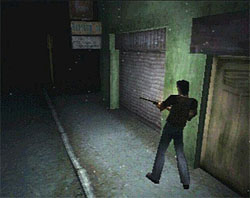
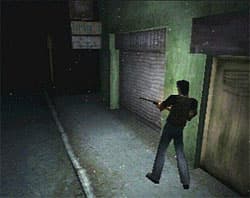 Original game image
About
A native PC port built on the Silent Hill PlayStation decompilation. It runs as a real Windows or Linux executable compiled from decompiled C source, using PsyCross as its hardware abstraction layer. It is not an emulator and not a static recompilation. The game is described as fully playable start to finish, with Windows the primary target and Linux and macOS support still in progress.
How it differs from the original
At default settings it plays like the original PSX game, and everything beyond that is optional.
Getting started
You need a legally obtained PlayStation disc image of Silent Hill; none is included. Extract the release, put the disc image in the game data folder (the launcher detects the region automatically), then run the launcher to configure or the game executable to play. The build is unsigned, so Windows SmartScreen may block it the first time. On Linux, running it under Wine is recommended for now.
History
Development is heavily AI-assisted, and the authors say every change is a reviewed, hand-directed edit to real source.
Known issues & limitations
- Linux and macOS builds still have issues; Windows or Wine is recommended where possible.
- Some systems or hardware may show visual glitches or artifacts.
- Some minor visual and cosmetic bugs remain.
- Linux and macOS builds still have issues, and some visual glitches can appear on certain hardware.
What you need to run it
Features
- The game is playable from start to finish, including every map, boss, cutscene, ending, and system.
- Optional graphics include widescreen, uncapped frame rates, PGXP correction, MSAA, filtering, tone mapping, and post-process effects.
- Four flashlight modes are available, with optional per-pixel shadow mapping.
- Alongside classic fixed cameras, the project offers third-person, over-the-shoulder, first-person, and mouse-look free-camera styles.
- The project includes mouse-clickable menus, quick save/load, quick-heal, an in-game options menu, and a live F10 options overlay.
- A built-in Mod Manager supports disc extraction, texture packs, loose-file replacement, model and audio modifications, and FMV replacement.
- The project supports USA, PAL/EUR, NTSC-J, and fan-translation discs, plus translation packs and multiple launcher languages.
How to install
- Extract the release anywhere on your PC.
- Put your game disc image in the `gamedata` folder; the launcher detects its region and accepts any filename.
- Run `SilentHillPC_Launcher` to configure, or run `SilentHillPC` to play.
- If Windows SmartScreen blocks the unsigned build, run the game once, then the launcher.
Controls
- R reloads, F6/F8 quick-save/load, F9 changes camera style, and F10 opens quick options.
Summarised from the project's README.
Licensing & legal
- The port is GPL-3.0, while the decompiled game code is not licensed by this project and remains the work of the silent-hill-decomp contributors.
Additional notes
- Integrations
- Includes RetroAchievements and Discord Rich Presence support, and an experimental Lua-scripted randomizer mode.
FAQ
- What is Silent Hill Port?
- Silent Hill Port is an open-source port of Silent Hill. An existing game or its source code brought to another platform. The original game ran on Windows and Linux.
- Do I need the original game files to run Silent Hill Port?
- Yes. The project does not include the original game's assets, so you need your own copy.
- How is Silent Hill Port licensed?
- project: GPL-3.0 (PC port and SH_PC_PORT additions to the decompiled sources); silent-hill-decomp contributors: not licensed (decompiled game code). The repository itself is the authoritative source.
More like Silent Hill Port
Original game image