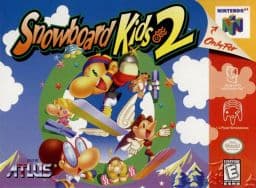
Snowboard Kids 2 Recompilation
The original game's compiled code translated into a native program for a new platform, usually a PC port.
Based on Snowboard Kids 2
compare all 2 clonesAbout
It is not based on decompiled source code, though it uses headers and some functions from the Snowboard Kids 2 decompilation project to make modifications. It is a port, not an emulator.
How it differs from the original
It adds high framerate support, widescreen and ultrawide support, an in-game config menu, and mod and texture pack support. Split-screen multiplayer and ray tracing with higher quality model replacements are listed as planned features.
Getting started
Download the latest release, then provide your copy of the North American (US) N64 version of the game in the main menu; other ROM formats are converted automatically if it is the correct ROM. The repository and releases contain no game assets. Linux binaries and a Flatpak are available, including for the Steam Deck.
Known issues & limitations
- Very wide aspect ratios can show animation quirks at screen edges in some cutscenes.
- External framerate limiters may cause problems or stuttering; use the in-game manual framerate slider instead.
- Overlays such as MSI Afterburner and software such as Wallpaper Engine can cause performance issues and prevent correct rendering.
- Overlays such as MSI Afterburner and software like Wallpaper Engine can cause rendering and performance problems.
What you need to run it
Features
- The project supports any aspect ratio, with most effects adjusted for widescreen; the HUD can be positioned at 16:9 on ultrawide screens.
- You can play at your monitor's refresh rate or choose the original framerate; changing framerate does not affect gameplay.
- Community mods and texture packs can add or change game content; mods can be toggled and some configured in the mod menu.
- Gameplay, graphics, input mappings, and audio settings are configurable in menus usable with a mouse, controller, or keyboard.
- You can adjust stick deadzone and invert the Y axis for aiming.
- A Linux binary and Flatpak are available for most up-to-date Linux distributions, including Steam Deck.
- Split-screen multiplayer is planned.
- Ray tracing and higher-quality model replacements via RT64 are planned.
How to install
- Download a prebuilt binary from the Releases page; building the project is not required to play.
- Provide your copy of the North American game in the main menu to load its assets and start playing.
- To run in portable mode, place a file named `portable.txt` beside the executable.
- Install mods by dragging their files onto the game window before starting, or use **Install Mods** in the mod menu.
Summarised from the project's README.
Additional notes
- Requirements
- A GPU supporting Direct3D 12.0, Vulkan 1.2 or Metal Argument Buffers Tier 2 is required.
- Portable mode
- Placing a portable.txt file next to the executable keeps saves, config and mods in the same folder.
FAQ
- What is Snowboard Kids 2 Recompilation?
- Snowboard Kids 2 Recompilation is an open-source recompilation of Snowboard Kids 2. The original game's compiled code translated into a native program for a new platform, usually a PC port. The original game ran on N64.
- Do I need the original game files to run Snowboard Kids 2 Recompilation?
- Yes. The project does not include the original game's assets, so you need your own copy.
- How do I choose a different ROM?
- You cannot choose a different ROM; the project accepts only the US N64 release, and it is not an emulator for arbitrary ROMs. Other formats are automatically converted if they are the correct ROM.
- Can you run this project as a portable application?
- Yes. Place `portable.txt` in the executable's folder; saves, config files, and mods will then be stored there.
- Where is the savefile stored?
- On Windows, saves are in `%LOCALAPPDATA%\SnowboardKids2Recompiled\saves`; on Linux, `~/.config/SnowboardKids2Recompiled/saves`; on macOS, `~/Library/Application Support/SnowboardKids2Recompiled/saves`.
More like Snowboard Kids 2 Recompilation