Sonic Free Riders Recompilation
The original game's compiled code translated into a native program for a new platform, usually a PC port.
Based on Sonic Free Riders
 Links, repository & details
About
Free Riders Recompiled is an unofficial port of the Xbox 360 version of Sonic Free Riders for Windows, Linux and Android, built through static recompilation. The game's PowerPC code is translated to C++ with XenonRecomp and its shaders with XenosRecomp, and runs on a native runtime that stands in for the console. The game boots, menus work and races can be played, but many parts are untested. It includes no game assets, and you need your own copy of the USA/Europe disc, from which a launcher installs the game data.
How it differs from the original
Adds Kinect and Kinect v2 support on Windows (Kinect v2 is experimental), optional webcam motion controls, controller and keyboard play with emulated Kinect inputs, local two-player support, selectable rendering resolutions from 360p to 1440p, game language selection, and experimental custom VRM models for the in-game AVATAR rider. Android builds include touch controls and tilt steering.
Getting started
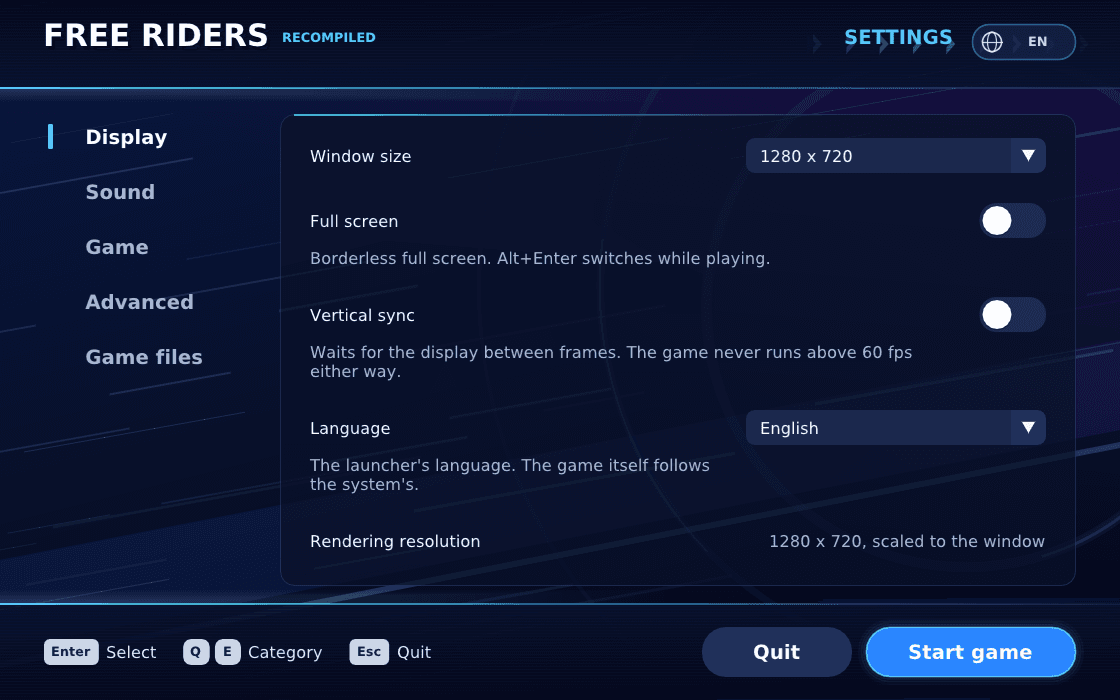
Download the release for your system, unpack it into its own folder (or install the APK on Android), start FreeRidersRecompiled, and choose your disc image when the launcher asks; it copies the game data beside itself. Then press Start game. Windows needs a CPU with AVX and a Direct3D 12 or Vulkan 1.2 GPU.
Known issues & limitations
- The project is a work in progress; parts are untested and the game may stop or misbehave.
- Stages and modes beyond the listed playable portions may stop when they reach something the runtime does not yet support.
- Kinect v2 support is experimental and still needs hardware validation.
- A GLB model without VRM humanoid bones remains static.
- Full MToon shading, transparent blending, spring bones, facial expressions, and finger animation are not implemented.
What you need to run it
Features
- Free Race is playable from the start through results; Grand Prix is playable through its story scenes into the first race.
- Windows supports optional webcam motion input for one-player play.
- Android includes on-screen touch controls and tilt steering.
How to install
- Download the release for your system: Windows zip, Linux tarball, or Android APK.
- On Android 10 or later, choose android10-arm64.apk; android-arm64.apk retains Android 9 compatibility.
- Unpack the download into its own folder, or install the APK on Android.
- Start FreeRidersRecompiled, select your disc image when prompted, then press Start game.
Controls
- In menus, use the arrow keys or D-pad to move or turn the menu ring.
- Hold Z or Space, or controller A, to crouch; release to jump.
- On Android, touch buttons cover the same actions, and tilting the phone steers in a race.
Summarised from the project's README.
Media
Licensing & legal
- The project's code is under GPL v3.0 or later; the game's own code and data remain SEGA's and are not covered by that grant.
AI assistance
- The README says the project was developed with the help of AI models.
Additional notes
- Supported discs
- Only the USA/Europe disc is supported.
FAQ
- What is Sonic Free Riders Recompilation?
- Sonic Free Riders Recompilation is an open-source recompilation of Sonic Free Riders. The original game's compiled code translated into a native program for a new platform, usually a PC port. The original game ran on Xbox 360.
- Do I need the original game files to run Sonic Free Riders Recompilation?
- Yes. The project does not include the original game's assets, so you need your own copy.
- How is Sonic Free Riders Recompilation licensed?
- project: GNU General Public License v3.0 or later (project's code); SEGA: not covered by that grant (game's own code and data). The repository itself is the authoritative source.
- How do I select Spanish or another game language?
- In the launcher, open General > Game language, choose a language, then start the game.
- How do I choose Vulkan or D3D12?
- On Windows, choose either backend under Graphics > Graphics backend before starting the game. Linux and Android use Vulkan.
- Can I change the game's internal resolution?
- Yes. Rendering resolution offers 360p, 540p, 720p, 1080p, and 1440p, independently of output window size.
- How can I compare performance without changing game speed?
- Keep the normal 60 FPS cap and compare the same part of the same course; uncapping currently speeds up game logic too.
- Why is there a preparation screen before the game starts?
- It prepares known graphics pipelines to reduce first-use compilation stalls; the first start may take longer, and later starts reuse the device cache.
- Where are the settings and saves?
- They are beside the launcher; on Android, they are in the app's files directory.