Super Mario Advance 4: Super Mario Bros. 3 Recompilation
The original game's compiled code translated into a native program for a new platform, usually a PC port.
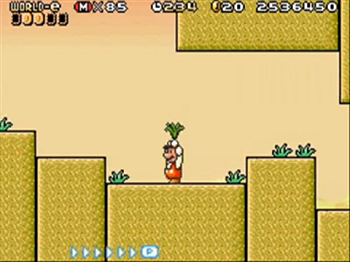
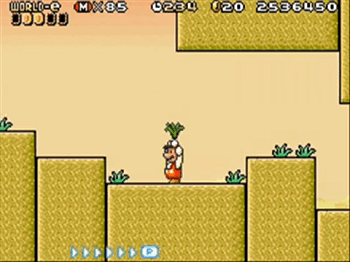 Original game image
About
A static recompilation of Super Mario Advance 4: Super Mario Bros. 3 for Windows, so the original Game Boy Advance code runs as a native desktop application. It has a launcher, controller support, fullscreen display, audio settings and save states. The game boots, reaches the title screen and runs Super Mario Bros. 3 gameplay.
Getting started
Download the Windows zip from Releases, extract it and run SuperMarioAdvance4Recomp.exe. In the launcher, select your own Super Mario Advance 4 (USA/Australia, Rev 1) ROM and a retail GBA BIOS, which are not included, then configure display, audio and controls and select Play. Shift+F1-F9 saves a state and F1-F9 loads one.
History
The README says the recompilation is a byproduct of developing gbarecomp, with the games serving as a proving ground for the reusable framework.
Known issues & limitations
- This is an experimental preview, not a finished commercial port; expect rough edges.
- The experimental initial release may have undiscovered game-specific issues; back up important saves.
What you need to run it
Features
- The original Game Boy Advance game runs as a native desktop application.
- Play in a window or fullscreen, with configurable presentation.
- The game has an in-game settings menu.
- The project supports cartridge saves and save states.
How to install
- Download the Windows zip from Releases and extract it.
- Run SuperMarioAdvance4Recomp.exe.
- In the launcher, select your supported ROM and retail GBA BIOS.
- Configure display, audio, and controls, then select Play.
- After the first setup, the launcher remembers valid files; enable Skip launcher on boot to start the game directly on later launches.
Controls
- Use the arrow keys for the D-Pad.
- Press Shift+F1–F9 to save a state and F1–F9 to load one.
- Controls can be changed from the launcher.
Summarised from the project's README.
Status & roadmap
- The initial v0.0.1 build is an experimental release; back up important saves and expect game-specific issues that have not been discovered yet.
Licensing & legal
- Released under PolyForm Noncommercial 1.0.0, with third-party components keeping their own licenses.
FAQ
- What is Super Mario Advance 4: Super Mario Bros. 3 Recompilation?
- Super Mario Advance 4: Super Mario Bros. 3 Recompilation is an open-source recompilation of Super Mario Advance 4: Super Mario Bros. 3. The original game's compiled code translated into a native program for a new platform, usually a PC port. The original game ran on Game Boy Advance.
- Do I need the original game files to run Super Mario Advance 4: Super Mario Bros. 3 Recompilation?
- Yes. The project does not include the original game's assets, so you need your own copy.
- How is Super Mario Advance 4: Super Mario Bros. 3 Recompilation licensed?
- project: PolyForm Noncommercial 1.0.0 (project code). The repository itself is the authoritative source.