The Simpsons Game Recompilation
The original game's compiled code translated into a native program for a new platform, usually a PC port.
Based on The Simpsons Game
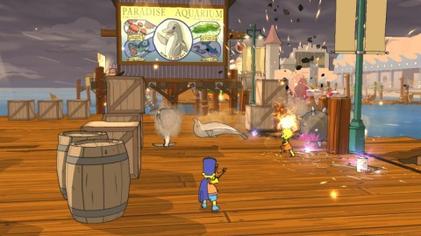
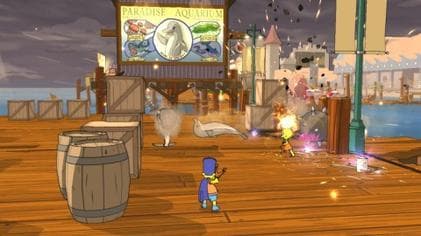 Original game image
About
A native PC port of The Simpsons Game (Xbox 360, 2007) for Linux, Steam Deck and Windows, made by statically recompiling the original game code. The game's PowerPC executable is translated ahead of time into C++ and compiled for x86-64, so it runs on the CPU directly instead of inside an emulator. The README lists the game as playable on all three platforms and says it boots, plays videos, saves and loads, and runs its levels.
How it differs from the original
The README lists 60 FPS gameplay (menus, title and loading screens stay at the original 30 FPS), render resolution scaling, anisotropic filtering and FXAA. It also offers keyboard and mouse controls with rebindable keys.
Getting started
You need your own copy of the Xbox 360 game as an ISO image; the project contains no game content. Download a release, start the launcher, pick your ISO in the Install tab, then press Play. On Steam Deck the launcher can add the game to Steam for Game Mode.
Known issues & limitations
- Some scripted sequences can misbehave at 60 FPS; if random deaths occur at the dam in Lisa the Tree Hugger, switch to 30 FPS for that section.
- If videos show a black screen on Windows, switch the graphics backend to Vulkan in the launcher's settings.
- At 60 FPS some scripted sequences can misbehave because the game was built for 30 FPS, for example the dam in the Lisa the Tree Hugger level.
What you need to run it
Features
- The game runs as a native x86-64 executable without CPU emulation.
- The renderer supports resolution scaling, anisotropic filtering, and FXAA.
- Gameplay can run at 60 FPS; menus, the title screen, and loading screens stay at 30 FPS.
- A launcher can install the game from an ISO, manage settings, patches, and save backups, add the game to Steam, and update itself.
- The game supports controllers and rebindable keyboard and mouse controls.
- The project is playable on Linux, Steam Deck, and Windows; Android is planned.
How to install
- Download the archive for your platform from the Releases page; choose the -NoAVX2 package if your CPU predates AVX2.
- Start Play.sh on Linux or Steam Deck, or simpsons-launcher.exe on Windows.
- In the launcher's Install tab, select your Xbox 360 ISO to extract and install the game data.
- On Steam Deck, use Add to Steam in the launcher to play from Game Mode.
Controls
- Use the mouse to look around.
- Jump or confirm with Space or Enter.
- Use the right mouse button for special attack (hold) or Backspace to go back.
- Use E to talk, use, or pick up.
- Switch characters with 1–4 or the arrow keys.
Summarised from the project's README.
Status & roadmap
- The roadmap lists a fully native renderer, widescreen, mod support and an Android port; Android is marked as planned.
AI assistance
- The README says parts of the project were developed with the assistance of Claude AI.
Additional notes
- Hardware
- The standard download needs a CPU with AVX2; a separate NoAVX2 package exists for older CPUs with SSE4.2.
FAQ
- What is The Simpsons Game Recompilation?
- The Simpsons Game Recompilation is an open-source recompilation of The Simpsons Game. The original game's compiled code translated into a native program for a new platform, usually a PC port. The original game ran on Xbox 360.
- Do I need the original game files to run The Simpsons Game Recompilation?
- Yes. The project does not include the original game's assets, so you need your own copy.
- How is The Simpsons Game Recompilation licensed?
- project: GNU General Public License v3.0 (launcher, hand-written game code and tooling); project: BSD 3-Clause License (ReXGlue SDK and Xenia-derived code); project: MIT License (XenonRecomp). The repository itself is the authoritative source.