Fable 2 Recompilation
The original game's compiled code translated into a native program for a new platform, usually a PC port.
Based on Fable II
compare all 2 clones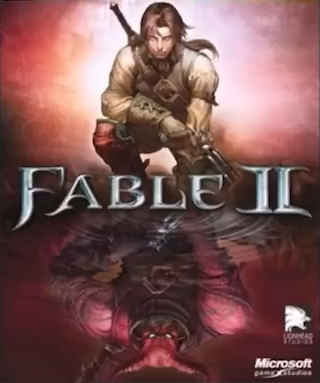
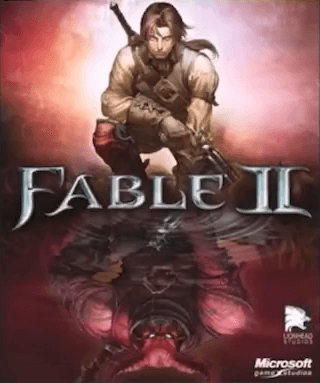 Original game image
About
A recompilation of Fable 2 (Xbox 360) using the ReXGlue SDK v0.10.0, in which the game's PPC code is statically recompiled to C++ at build time. The README says it was first made to test local open-source AI, that it can be used to beat the game, and that the author does not yet consider it fully complete.
How it differs from the original
The README's feature list marks as done an uncapped or increased framerate, keyboard and mouse support, an unlocked Guild chest, a built-in debug menu with custom Lua, and other languages; higher resolution, Vulkan and Linux builds are not checked off.
Getting started
The README says the default build profile supports the original GOTY USA/Europe and German GOTY dumps, and other XEX revisions are rejected. An optional Windows WPF launcher detects the game edition and configures resolution, render scale, filtering, FXAA, VSync, window mode and an FPS limit.
History
The README says the project began as a test of local open-source AI built with Qwen3.8 27b, which got the game running after about an hour before much human trial and error mapped enough functions to finish the game.
Known issues & limitations
- In-game text has not yet been changed to account for keyboard and mouse input.
What you need to run it
Features
- The Guild chest is fully unlocked.
- A built-in debug menu can run custom Lua in the game.
- A hero and dog texture bug is fixed.
- Mouse movement controls the right stick for camera movement; sensitivity can be adjusted.
- Pressing F5 runs an external Lua script in the game's Lua state.
How to install
- Rip your disc to an ISO, open it with XboxImageExtractor, and extract `default.xex` and `data` into the project root.
- Run `fable.exe`; if a hash error appears, try extracting a different game version.
Controls
- Arrow keys control the dpad, Escape is Pause (Start), and M is Select (Back).
- Mouse movement controls the right stick; sweep the mouse to look and stop moving it to stop.
Summarised from the project's README.
Status & roadmap
- The author has not yet completed 100% of the game and does not consider the project fully complete.
FAQ
- What is Fable 2 Recompilation?
- Fable 2 Recompilation is an open-source recompilation of Fable II. The original game's compiled code translated into a native program for a new platform, usually a PC port. The original game ran on Xbox 360.
- Do I need the original game files to run Fable 2 Recompilation?
- Yes. The project does not include the original game's assets, so you need your own copy.
- Where do saves go?
- Saves are stored in the `saves` folder in the build directory; back it up to preserve progress, or copy it between build folders or machines.
More like Fable 2 Recompilation
Original game image