Pikmin (Open Nectar PC Port)
An existing game or its source code brought to another platform.
Based on Pikmin
compare all 5 clones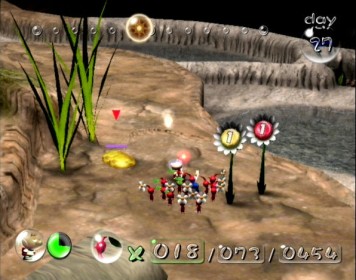
 Original game image
About
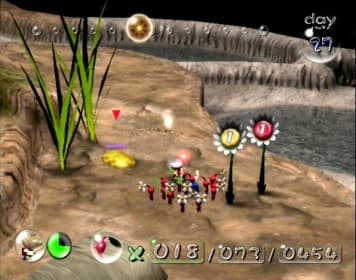
Open Nectar is a native, experimental PC and Android port of Pikmin (GameCube, 2001) for Linux, Windows and Android. It runs the game code directly on the host system and translates GX to OpenGL, without Dolphin or any emulator, and builds on the projectPiki/pikmin decompilation. The README says most of the game is playable from start to finish.
How it differs from the original
The port adds 30, 60 or 120 FPS gameplay, arbitrary resolutions and widescreen HUD layout, keyboard, mouse and touch controls, optional post-processing, texture packs and local co-op with Olimar and Louie. Optional mods include a Pikmin limit and day length setting, and permadeath is chosen per save file. Some options, such as chaining Pikmin actions, are off by default to stay faithful to the original.
Getting started
Download the package for your system from the releases page, run the launcher and give it your own disc image of Pikmin USA Rev 1 or Pikmin Europe. It verifies the image, extracts the assets and starts the game. Compressed images (RVZ/WIA/GCZ) need Dolphin's converter tool on desktop and are not supported on Android. Press F1 in game for settings.
Known issues & limitations
- Some minor graphical differences are still in development.
- The 60 FPS and 120 FPS gameplay modes are experimental.
What you need to run it
Features
- Most of the game is playable from start to finish.
- Gameplay can run at 30, 60, or 120 FPS, selectable in-game.
- The European disc supports English, French, German, Spanish, and Italian, selectable from the launcher, F1, or the game's options.
- Optional graphics effects include antialiasing, fog, bloom, ambient occlusion, depth of field, texture filtering, and colour grading.
- Custom texture packs are supported.
- Local co-op supports Olimar and Louie with two controllers and split screen that can merge into one camera; Louie can also be played solo.
- A launcher provides settings, texture packs, HD models, and automatic updates from GitHub releases.
How to install
- Download the package for your system from Releases.
- On Linux, make the AppImage executable and open it, or extract the tar.gz and open `nectar-linux/nectar-launcher`.
- In the launcher, press Install, choose your disc image and an install folder, then use the installed launcher to play.
- On Windows, extract `nectar-windows.zip`, run `nectar-launcher.exe`, choose the disc image and install folder, and let it verify and extract the assets.
- On Android, download and open the APK, choose your disc image in the system file picker, and let the app extract the assets and start the game.
Controls
- Press F1 for port settings, F2 to switch control mode, and F3 for photo mode.
- In mouse pointer mode, left click throws, right click whistles, middle click changes camera, and the wheel selects Pikmin colour or zooms the camera.
- The port supports SDL2-compatible controllers, with customizable configuration from F1 and vibration where available.
- Photo mode freezes the world; WASD moves the camera, Space/Ctrl moves it up/down, arrow keys look, and Q/E tilt while R levels.
Summarised from the project's README.
Licensing & legal
- The code is offered under CC0 1.0, which the README says grants no rights over Pikmin or Nintendo material.
AI assistance
- The author states the project was developed with the assistance of AI tools, with the generated code reviewed, tested and integrated by them.
Additional notes
- Supported discs
- Supported discs are Pikmin USA Rev 1 (GPIE01) and Pikmin Europe (GPIP01, five languages).
- Windows note
- On Windows a console window opens alongside the game on purpose, and the executables are unsigned so SmartScreen may warn.
FAQ
- What is Pikmin (Open Nectar PC Port)?
- Pikmin (Open Nectar PC Port) is an open-source port of Pikmin. An existing game or its source code brought to another platform. The original game ran on Linux, Windows and Android.
- Do I need the original game files to run Pikmin (Open Nectar PC Port)?
- Yes. The project does not include the original game's assets, so you need your own copy.
- How is Pikmin (Open Nectar PC Port) licensed?
- project: CC0 1.0 (code). The repository itself is the authoritative source.
- Why does the game start but find no data?
- Run it from the installation folder, not from elsewhere.
- What should I do if Windows reports that it could not initialize the window or OpenGL?
- The graphics drivers may be too old, or the system may be using the generic Windows display driver.
- Do I need to reinstall to change the European disc's language?
- No. Change it in the launcher's Settings, F1 → Language, or the game's options without reinstalling.
More like Pikmin (Open Nectar PC Port)
Original game imageOriginal game imageOriginal game imageOriginal game image