Sonic Adventure Port
An existing game or its source code brought to another platform.
Based on Sonic Adventure
compare all 5 clones
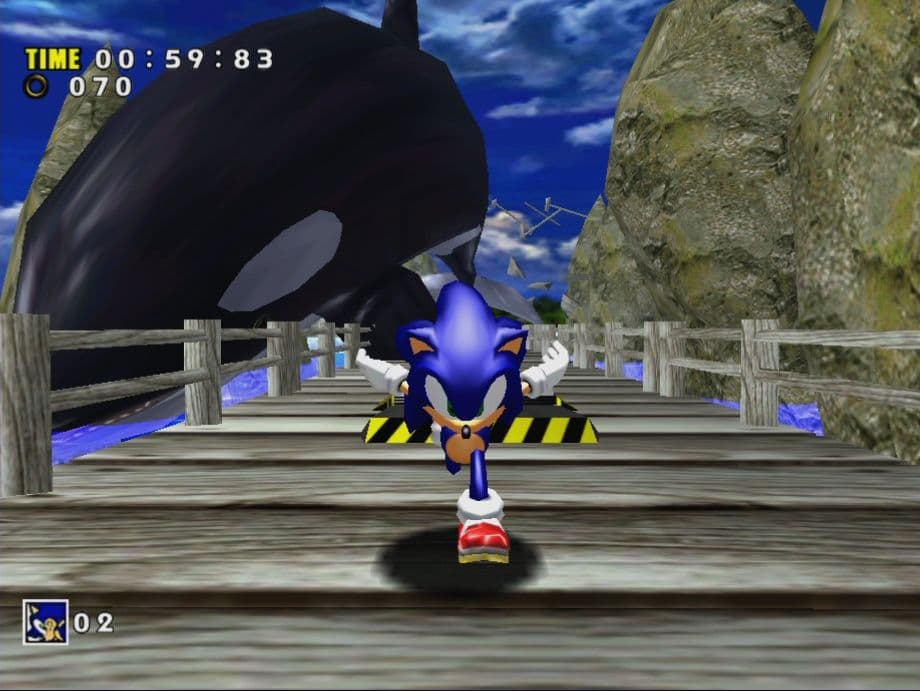 Original game image
About
Sonic Adventure Recompiled is an unofficial native PC port of the Dreamcast version of Sonic Adventure, powered by KatanaRecomp, for Windows, Linux and Steam Deck. The README calls it a beta in which the game is fully playable, with all seven stories playable from start to finish. You must provide your own copy of the supported PAL v1.003 (1999) disc image.
How it differs from the original
It adds widescreen (4:3, 16:9, 21:9 and the display's own ratio), optional modern camera controls with right-stick orbit, native PC settings, and a choice of Original or Recompiled game timing. Recompiled timing targets 60 gameplay updates per second.
Getting started
Download the beta installer for your platform and follow the setup. On Windows, run setup and select your .gdi file; on Linux, make the .run installer executable and run it as a normal user. On Steam Deck, install in Desktop Mode, add the game to Steam, and launch it from Gaming Mode without forcing Proton.
History
A note dated 24 September 2026 says development is halted because of real-life matters, so updates may take a while.
Known issues & limitations
- Starting the game in Steam Deck Desktop Mode can freeze the device; install there, but launch through Steam Gaming Mode.
- Widescreen can expose framing issues in some scenes and effects, confirmed in Tails' first cutscene; 4:3 is available as a workaround.
- Bugs and isolated crashes may still occur.
- This is a beta release and remains a work in progress.
- Launching in Desktop Mode can freeze the Steam Deck, and widescreen framing issues are confirmed in Tails' first cutscene.
What you need to run it
Features
- The port supports 4:3, 16:9, 21:9, and the display's actual aspect ratio.
- PC supports windowed, borderless, and fullscreen modes.
- Recompiled timing targets 60 gameplay updates per second at the original intended game speed.
- The optional Recompiled camera adds right-stick orbit and vertical control, plus mouse camera support.
- Players can rebind controls and choose Xbox, PlayStation, or keyboard button prompts.
- Text can be set to Japanese, English, French, Spanish, or German; voices can be Japanese or English.
- The game includes save profiles, versioned backups, restores, and save import/export.
- The game is fully playable, with all seven stories playable from start to finish.
How to install
- Download the player installer for your platform from the Releases page; source-code ZIPs are not player installers.
- Keep the .gdi and all its track files together, using the filenames referenced by the descriptor; extract archives before selecting the game files.
- In-game text and voice languages can be changed in Options.
Controls
- At the title screen, press B, Circle, or Escape to open the quit confirmation.
- The optional Recompiled camera uses the right stick for orbit and vertical control, and supports mouse camera control.
Summarised from the project's README.
AI assistance
- The author states AI tools were used as coding assistants and for documentation.
Additional notes
- Supported files
- Sonic Adventure DX and other Dreamcast releases are not supported by the current installer.
FAQ
- What is Sonic Adventure Port?
- Sonic Adventure Port is an open-source port of Sonic Adventure. An existing game or its source code brought to another platform. The original game ran on Windows and Linux.
- Do I need the original game files to run Sonic Adventure Port?
- Yes. The project does not include the original game's assets, so you need your own copy.
- Can I use Sonic Adventure DX or another Dreamcast release?
- No. The current installer supports the specific PAL Dreamcast release listed in the installation guide.
- Does the game run through an emulator or Proton?
- The port uses native compiled code and native rendering. Linux and Steam Deck builds run directly; leave Steam's forced compatibility-tool setting disabled.
- Will reinstalling remove my progress?
- No. Reinstalling preserves saves and settings. Close the game before running setup.
More like Sonic Adventure Port
 Original game imageOriginal game image