Super Mario 64 Port
PortActive
An existing game or its source code brought to another platform.
Based on Super Mario 64
 Links, repository & details
About
It includes no copyrighted assets and requires you to provide a supported US or JP ROM in .z64 format.
How it differs from the original
Custom assets and mods in .o2r or .otr files go in the mods folder, and the Tab key toggles alternate assets. On Android there is a Mods button in the in-game menu for managing mods and saves.
Getting started
On Android, install the APK, tap Choose Super Mario 64 ROM and pick your own US or JP .z64; it is checked against the supported hashes and converted into sm64.o2r on the device, which takes a few minutes the first time. On PC, run the release and select your ROM. Windows defaults to DirectX11, macOS to Metal.
What you need to run it
Features
- Custom assets can be loaded from .o2r or .otr files placed in the mods folder.
How to install
- Download the project from Releases, extract the zip, run Ghostship.exe, and select your US or JP ROM on Windows.
- On macOS, extract the zip, run Ghostship, and select your US or JP ROM.
- For Nintendo Switch, first run a PC release to generate sm64.o2r, then copy the files to your SD card.
- On Android, install and launch the APK, choose your US or JP .z64 ROM, and wait for extraction to finish; the game starts automatically.
Controls
- Default keyboard controls: A is X, B is C, Z is Z, Start is Space, analog stick is WASD, C buttons are the arrow keys, and D-pad is TFGH.
- Esc toggles the menu; Ctrl+R resets inside levels; F11 toggles fullscreen; Tab toggles alternate assets.
Summarised from the project's README.
Additional notes
- Keyboard
- Default keys are X, C, Z, Space, WASD, arrow keys and TFGH for the N64 A, B, Z, Start, stick, C buttons and D-pad.
FAQ
- What is Super Mario 64 Port?
- Super Mario 64 Port is an open-source port of Super Mario 64. An existing game or its source code brought to another platform.
- Do I need the original game files to run Super Mario 64 Port?
- Yes. The project does not include the original game's assets, so you need your own copy.
More like Super Mario 64 Port
Halted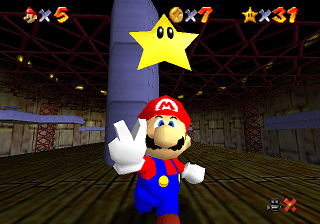 Original game image
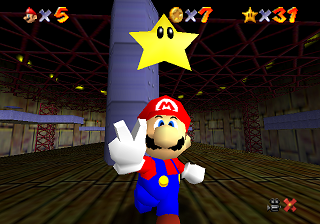 Original game image
A full decompilation of Super Mario 64 for the JP, US, EU, Shindou and iQue releases; a prior copy of the game is needed.
Stars8,814
Updated2 years ago
LicenseCC0-1.0
Release2019
HaltedOriginal game image
Original game imageAn enhanced PC port of Super Mario 64 adding mouse-look camera, custom texture packs, and a cheats menu.
Platforms:N64
Stars1,834
Updated1 year ago
LicenseUnknown
Release2020
Active
It does not include any copyrighted assets, so you must provide a supported US or JP ROM.
Stars800
Updated1 month ago
LicenseMIT
Release2023
ArchivedOriginal game image
Original game imageA PSX/PC port of the Super Mario 64 decompilation with real DualShock rumble support, though unfinished and archived.
Platforms:PS
Stars466
Updated3 months ago
LicenseUnknown
Release2024
ActiveOriginal game image
Original game imageA Nintendo 3DS port of Super Mario 64 with stereo 3D, touch-screen camera controls and a mini-menu.
Stars317
Updated3 months ago
LicenseUnknown
Release2020
ActiveOriginal game image
Original game imageA Nintendo DSi port of the Super Mario 64 decompilation, with hardware-specific rendering and audio code.
Stars180
Updated4 months ago
LicenseCC0-1.0
Release2021