About
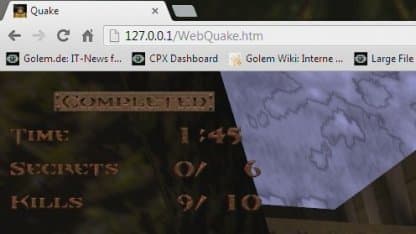
Quake is a 1996 first-person shooter developed by id Software and published by GT Interactive, in which a lone soldier travels through interdimensional 'slipgates' to stop an invading force known as Quake, battling through a mix of futuristic military bases and gothic, Lovecraft-inspired environments. WebQuake is an HTML5/WebGL port of Quake that runs in the browser, sharing the same networking protocol as the original so it can be played against native Quake/QuakeWorld clients like WinQuake and GLQuake over TCP/IP. It requires the player's own Quake resource files (the shareware first-episode demo is enough to run it) served from a web server with HTTP 1.1 Range support, and supports the official Scourge of Armagon and Dissolution of Eternity mission packs as well as custom mods. A dedicated Node.js server is also included for hosting multiplayer games, complete with a remote console and a JSON server-info API.
How it differs from the original
As tested in 2013, browser support was uneven: Firefox and Chrome on Windows worked well, while Android browsers had poor performance and missing mouse support, and Internet Explorer was unsupported outright due to weak TypedArray support. Multiplayer and remote console access are also unavailable when the client is served over https.
Getting started
Serve the client files from a web server with HTTP 1.1 Range support, then add your own Quake data files — the id1 folder from the shareware demo is enough, with hipnotic/rogue folders for the mission packs. Launch it by visiting the WebQuake page in a browser; add -hipnotic or -rogue as launch arguments for the mission packs, or -game MOD_NAME to load a mod. To add music, convert the original Quake CD's audio tracks to .ogg format and place them in a media folder.
Known limitations
- compatibility: Browser hotkeys such as F5, Ctrl+T, and Ctrl+W are not available while the game is active.
- audio: If sound randomly does not play, use the stopsound console command to restart audio.
- platform: Multiplayer and RCON cannot be used if the client is installed on https:// protocol.
Media
Additional notes
- Tip
- If sound stops playing correctly, typing 'stopsound' in the in-game console fixes it.