Conker's Bad Fur Day Recompilation
The original game's compiled code translated into a native program for a new platform, usually a PC port.
 Links, repository & details
About
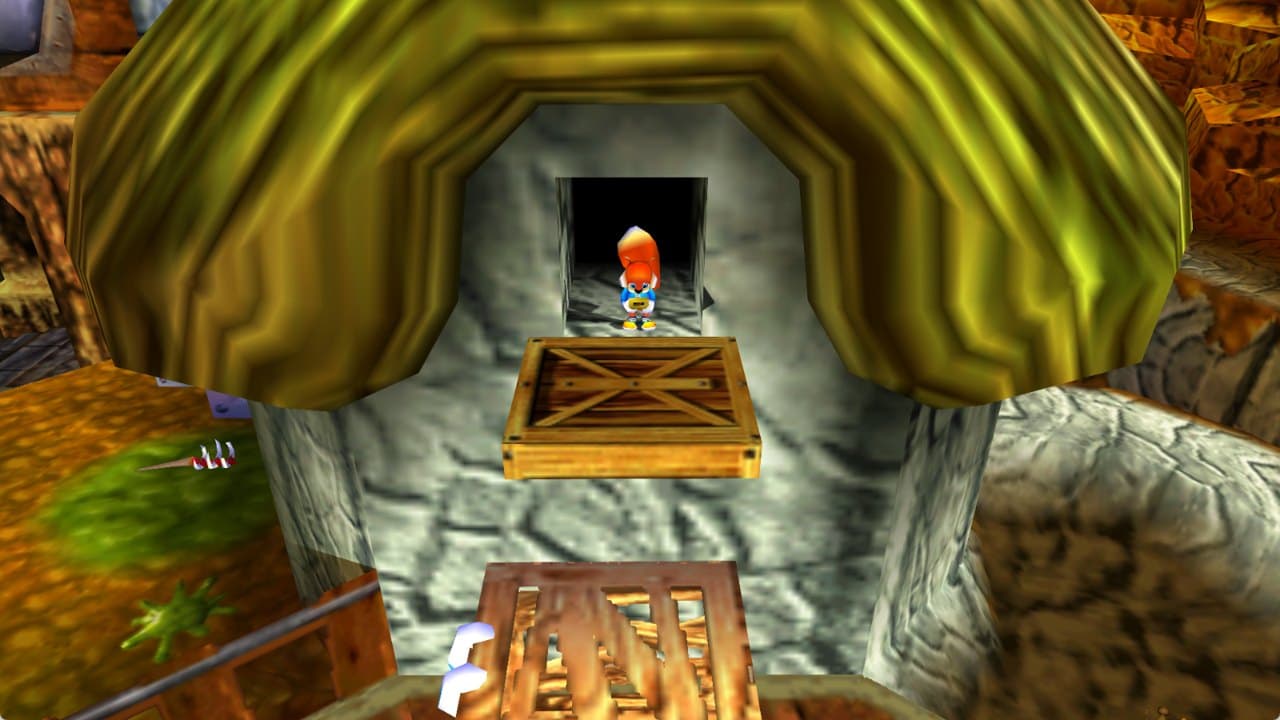
Conker's Bad Fur Day: Reloaded is Conker's Bad Fur Day running natively on PC, produced by statically recompiling the original N64 game with N64Recomp into a Windows and Linux program rather than using an emulator. It supports widescreen, a smooth frame rate, a free camera, and mouse and controller input. It needs your own copy of the US ROM, and no game files are included.
Getting started
Download the Windows zip or Linux tar.gz from Releases, unzip it and run the program; the first time it asks for your ROM and remembers it. Open the settings, go to the Conker tab and pick Classic (original 4:3 picture and 30 fps) or Modern (widescreen, smooth frame rate, free camera and more), or Custom to set each option yourself. Windows needs a 64-bit system with a DirectX 12 or Vulkan graphics card.
Known issues & limitations
- The free camera does not replace fixed cameras in some doorways and the Windy barn.
- The game still uses 30 fps logic, so Conker handles as he did on N64 even when the visuals are smoother.
- There is no macOS build yet.
- Smooth shading has only been checked in some areas, not across the whole game.
- Frame rates above 60 fps have not been tested.
- Linux has only been run in WSL with software graphics; real Linux hardware, controllers, and sound are untested.
What you need to run it
Features
- The game runs natively on PC rather than through an emulator, with modern graphics, widescreen, and mouse and controller support.
- Classic mode keeps the original 4:3 picture, 30 fps, camera, lighting, and shading, while allowing higher resolution.
- Modern mode enables widescreen, smooth frame rate, sharper 2D graphics, free camera, aiming crosshair, autosave icon, cutscene skipping, alt-tab pausing, Skip Intro, and direct mouse aiming.
- Gameplay, menus, pause screen, and intro fill widescreen without black bars.
- Separate volume controls are available for music, sound effects, and speech.
- The game accepts data-only ROM hacks, including the uncensored speech hack.
- The game supports multiple controllers for multiplayer.
How to install
- On first launch, select your ROM when prompted; the launcher remembers it. Use ROM in the launcher to select another one later.
- In settings, open the Conker tab and choose Classic or Modern.
Controls
- Hold L to skip a cutscene; a ring fills while you hold it.
- Turn the free camera with the right stick or mouse.
Summarised from the project's README.
Media
Modding & tools
- An optional HD Icons texture pack, built from GameBeast92's 4K Ultimate Texture Pack under CC BY 4.0, sharpens the HUD, menus and signs.
Licensing & legal
- The repository code is under the MIT License, but the released program as a whole is distributed under GPL-3.0 because it includes N64ModernRuntime.
Credits & contributing
- Many features and fixes come from CBFD-Recompiled by Sean Ciaschi, included with credit.
Additional notes
- Uncensored rom
- ROM hacks that only change the game's data, such as the uncensored speech, are accepted through the launcher's ROM option.
FAQ
- What is Conker's Bad Fur Day Recompilation?
- Conker's Bad Fur Day Recompilation is an open-source recompilation of Conker's Bad Fur Day. The original game's compiled code translated into a native program for a new platform, usually a PC port. The original game ran on N64.
- Do I need the original game files to run Conker's Bad Fur Day Recompilation?
- Yes. The project does not include the original game's assets, so you need your own copy.
- How is Conker's Bad Fur Day Recompilation licensed?
- project: MIT License (code in this repository); project: GPL-3.0 (released program as a whole). The repository itself is the authoritative source.
- Can I play without supplying a ROM?
- No. You need your own copy; no game files are included.
More like Conker's Bad Fur Day Recompilation

 Original game image
 Original game image
 Original game image