Perfect Dark Port
An existing game or its source code brought to another platform.
Based on Perfect Dark
 Links, repository & details
About
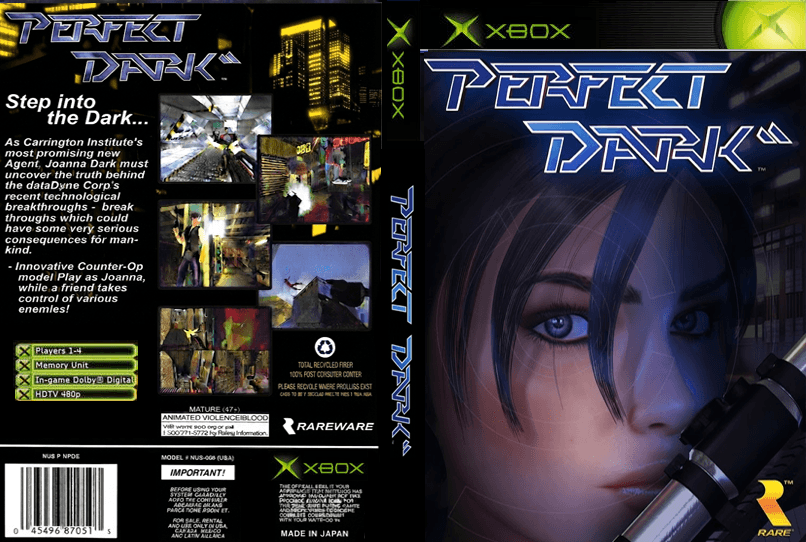
Perfect Dark X is an Original Xbox port of the open-source Perfect Dark PC port, which itself is based on the Perfect Dark decompilation project. It targets a stock 64 MiB Xbox through nxdk, with a native pbkit/NV2A renderer, Xbox controller input and direct AC97 audio. The README says the campaign, combat simulator, menus, sound, dual-analog controls and two- to four-player split-screen have been tested on Original Xbox hardware and in XEMU.
How it differs from the original
Video output follows the Xbox dashboard: 480i, 480p, widescreen and native 720p, with no in-game resolution override. The 720p mode disables framebuffer effects and runs at a 30 FPS cap. A replacement diffuse texture pack is used, but XBLA-only bump, normal, specular and cubemap maps are not loaded.
Getting started
Download the release ZIP on a Windows PC and place your own NTSC-final/US v1.1 .z64 ROM next to the asset installer. The installer checks the ROM and builds a game folder, which you copy to a modified Xbox that can launch unsigned XBE files, or load as an image in XEMU.
Known issues & limitations
- Visual parity is still being refined, especially framebuffer-dependent effects and some scripted presentation at 720p.
- At 720p, effects and texture residency are reduced to support stable memory use.
- XBLA-only bump, normal, specular, cubemap, and other material maps are not loaded.
What you need to run it
Features
- The campaign, combat simulator, menus, sound, and two- to four-player split-screen have been tested on Original Xbox hardware and in XEMU.
- Up to four Original Xbox controllers are polled independently; multiplayer players can join by pressing Start.
- Diffuse texture replacements are loaded on demand.
How to install
- Download and extract the release ZIP on a Windows PC.
- Place your legally owned NTSC-final/US v1.1 .z64 ROM beside the installer, then run `PerfectDarkXAssetInstaller.exe`.
- Choose the default output folder or another new or empty folder, then click Install.
- On Xbox, transfer the generated folder to a games directory, set aspect ratio and HD modes in the dashboard, and launch `default.xbe`.
Controls
- Move with the left stick and look or aim with the right stick.
- Fire or accept with the right trigger; use the left trigger for aim mode.
- A is use/accept; B is previous weapon/cancel; X reloads; Y selects the next weapon.
- Black opens the radial menu; White is alternative fire.
- Click the left thumbstick to cycle crouch; press Start to pause.
- In multiplayer setup, each connected controller can join by pressing Start.
Summarised from the project's README.
Media
Additional notes
- No rom included
- The release contains no ROM and no files extracted from one; the installer reads the user's ROM locally.
FAQ
- What is Perfect Dark Port?
- Perfect Dark Port is an open-source port of Perfect Dark. An existing game or its source code brought to another platform. The original game ran on Xbox.
- Do I need the original game files to run Perfect Dark Port?
- Yes. The project does not include the original game's assets, so you need your own copy.
- Is there an in-game resolution or aspect-ratio setting?
- No. Resolution and aspect ratio come exclusively from the Xbox dashboard.
- What aspect ratio does 720p use?
- 720p is always widescreen; use the dashboard's 480-line 4:3 mode for a 4:3 display.
More like Perfect Dark Port
 Original game imageOriginal game imageOriginal game imageOriginal game imageOriginal game imageOriginal game image