About
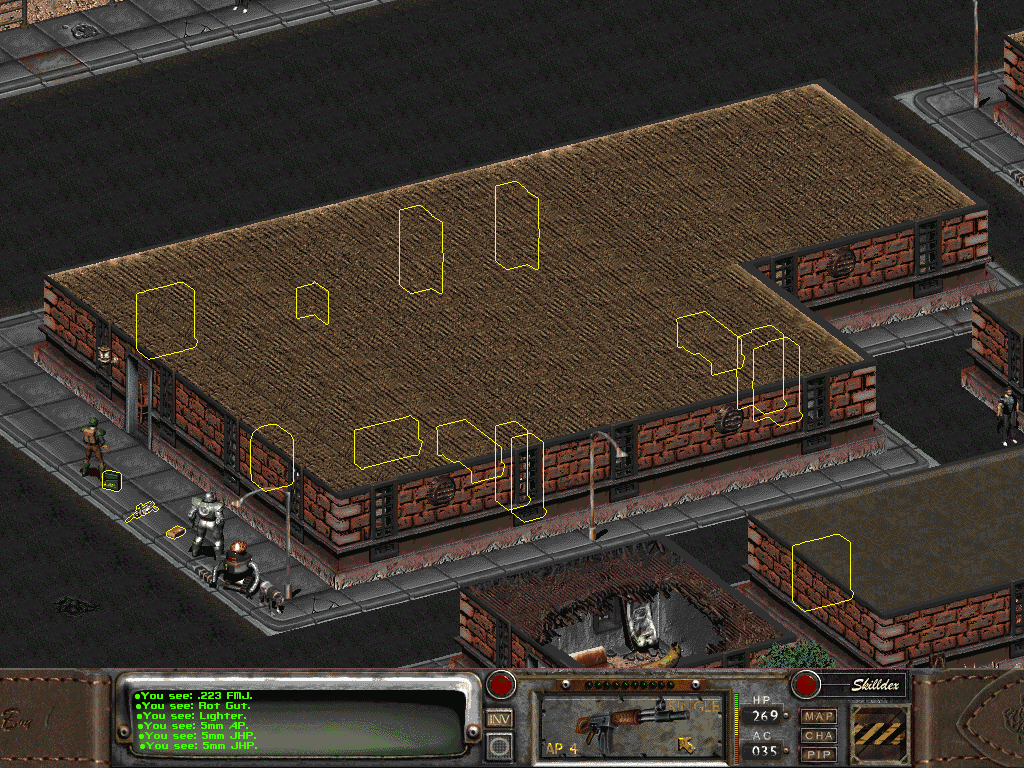
Fallout 2 is a 1998 role-playing game by Black Isle Studios and Interplay Productions, a sequel to Fallout set in 2241 in which the player, the Chosen One, quests to save their post-apocalyptic West Coast village. sfall is a set of engine modifications for Fallout 2, distributed as a DLL (ddraw.dll) that patches the game executable in memory without altering the EXE file itself. It adds better support for modern operating systems, externalizes many settings (starting map, game time, skills, perks, critical hit tables), bug fixes, and extra features like item highlighting and party member control, plus extended scripting capabilities for modders. It was originally created by Timeslip.
How it differs from the original
Compared to vanilla Fallout 2, sfall adds features not in the original engine, such as item highlighting, direct party member control, and many new scripting opcodes for modders, alongside numerous engine bug fixes.
Getting started
Download the release archive and extract ddraw.dll, ddraw.ini, sfall.dat, and the mods folder into Fallout 2's base directory (next to fallout2.exe). It's configured by editing the ddraw.ini and sfall-mods.ini text files; Wine users need to set DLL overrides for ddraw.dll to "native, builtin".
Media
Additional notes
- Controls
- In a default install, the middle mouse button switches weapons, the mouse wheel scrolls menus, Ctrl+numpad adjusts game speed, holding left Ctrl moves items between inventory lists, and left Shift highlights or moves whole item stacks on the ground.