Super Smash Bros. Melee Port
An existing game or its source code brought to another platform.
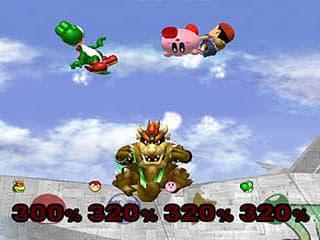 Original game image
About
An experimental native PlayStation Vita port of Super Smash Bros. Melee (NTSC-U 1.02), built on melee-pc, doldecomp/melee and aurora. It compiles the game code for Vita and replaces platform services with Vita-native input, disc access, audio, saves, movie decoding and a GX-to-GXM renderer rather than running an emulator.
How it differs from the original
Touch controls, rumble, external controllers, multiple human controller ports, online play, the desktop launcher and custom soundtrack streaming are not available. The Vita package includes five alternate Giga Bowser costume archives from a mod pack.
Getting started
You need a homebrew-enabled Vita with the Vita shader compiler module installed and your own legally obtained, uncompressed USA revision 2 disc image placed at a fixed path on the memory card. Install the VPK with VitaShell and launch it from LiveArea; there is no disc picker.
Known issues & limitations
- The release is unfinished and unstable; expect slowdowns, visual and audio/movie issues, and possible crashes, with performance varying by scene, character, and stage.
- Shaders compile at runtime, causing stuttering; revisiting scenes can become smoother as the cache fills, but later new shaders can still pause.
- Touch controls, rumble, external controllers, and multiple human controller ports are not implemented.
- Online play and rollback are not implemented.
- The desktop launcher/settings overlay, custom soundtrack streaming, and PC cheat toggles are unavailable in the Vita build.
What you need to run it
Features
- You can change menu and gameplay rendering resolution in Vita Options.
- The game includes hidden, session-only developer tools that can be revealed with a D-pad sequence.
How to install
- Download the versioned VPK from a published Vita release and install it using VitaShell.
- Copy your uncompressed disc image to `ux0:data/melee/GALE01.iso` and check that the shader compiler is installed at its required path.
- Launch the LiveArea bubble; the Vita build reads the fixed disc path and has no PC-style disc picker.
Controls
- Cross is A/confirm; Circle is B/back; Square and Triangle are X and Y/jump.
- L and R are shield triggers, but they only register full digital presses, not variable light-shield pressure.
- Select is Z/grab and Z menu shortcuts; Start pauses.
- In Debug Tools, use the D-pad to navigate or change values, Cross to select, and Circle to return.
Summarised from the project's README.
Additional notes
- Stability
- It is not a finished or stable release: expect slowdowns, visual, audio and movie issues, and possible crashes.
- Shader cache
- Shaders compile at runtime and are cached, so stuttering should lessen as the cache fills; the cache persists between launches.
- Debug tools
- A hidden, session-only copy of Melee's original developer tools can be revealed with a button code in Options.
- Licensing
- The decompiled game code is not covered by the port's GPL license.
FAQ
- What is Super Smash Bros. Melee Port?
- Super Smash Bros. Melee Port is an open-source port of Super Smash Bros. Melee. An existing game or its source code brought to another platform. The original game ran on PS Vita.
- Do I need the original game files to run Super Smash Bros. Melee Port?
- Yes. The project does not include the original game's assets, so you need your own copy.
- How is Super Smash Bros. Melee Port licensed?
- project: GPL (port code). The repository itself is the authoritative source.
- Do I need a disc image to compile the port?
- No. A disc image is not needed to compile the port.
- Does the Vita build have a disc picker?
- No. It reads the disc image from the fixed path.
More like Super Smash Bros. Melee Port
Original game image