Ocarina of Time Port
PortActive
An existing game or its source code brought to another platform.
Based on The Legend of Zelda: Ocarina of Time
 Links, repository & details
About
It includes no copyrighted assets; the user must provide a supported ROM dump, from which assets are extracted into an .o2r archive.
How it differs from the original
Supports custom asset archives placed in a mods folder, a toggle for alternate assets, and graphics backends for DirectX 11, OpenGL and Metal.
Getting started
Check your ROM dump against the supported hashes, download a release, then launch soh.exe on Windows or soh.appimage on Linux with the ROM in the same folder. On macOS, run soh.app and pick your ROM when prompted. Switch ports need an oot.o2r file generated on a PC release and copied to the SD card.
What you need to run it
Features
- You can use custom assets by placing `.otr` archive files in the `mods` folder.
How to install
- On macOS, run `soh.app` and select your supported game copy when prompted.
Controls
- The default keyboard mapping is: A = X, B = C, Z = Z, Start = Space, analog stick = WASD, C buttons = arrow keys, and D-Pad = TFGH.
- ESC toggles the menu.
- Tab toggles alternate assets.
- Default keyboard layout: X is A, C is B, Z is Z, Space is Start, WASD is the analog stick, arrow keys are the C buttons; F5, F6 and F7 handle save states.
Summarised from the project's README.
Media
Additional notes
- External link
- The README points to an official website, shipofharkinian.com, and a compatibility checker at ship.equipment.
FAQ
- What is Ocarina of Time Port?
- Ocarina of Time Port is an open-source port of The Legend of Zelda: Ocarina of Time. An existing game or its source code brought to another platform. The original game ran on N64.
- Do I need the original game files to run Ocarina of Time Port?
- Yes. The project does not include the original game's assets, so you need your own copy.
More like Ocarina of Time Port
Active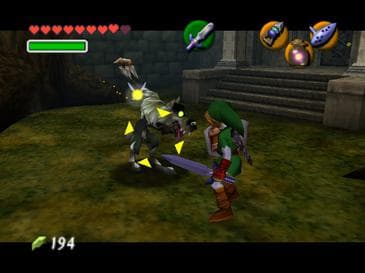 Original game image
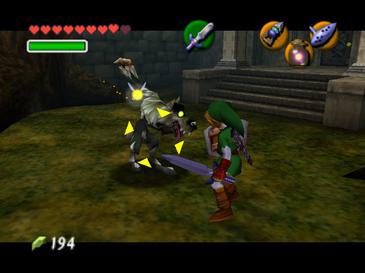 Original game image
A work-in-progress decompilation of Ocarina of Time, reconstructed purely from analysis of the game across many original ROM revisions.
Platforms:N64
Stars5,516
Updated1 month ago
LicenseUnknown
Release2020
Active
A PC/console port of Ocarina of Time built on the OOT decompilation project, adding save states and custom assets.
Platforms:WindowsLinuxOSX
Stars5,396
Updated1 month ago
LicenseUnknown
Release2022
HaltedOriginal game image
Original game imageA work-in-progress decompilation of the N64 emulator used in the GameCube releases of The Legend of Zelda: Ocarina of Time.
Stars149
Updated1 year ago
LicenseCC0-1.0
Release2024
ActiveOriginal game image
Original game imageA work-in-progress decompilation of the N64 emulator used in Wii Virtual Console releases such as Ocarina of Time.
Stars93
Updated2 months ago
LicenseUnknown
Release2020
ActiveOriginal game image
Original game imageA work-in-progress decompilation of the 2011 3DS remake of Ocarina of Time, currently rebuilding only its code.bin/oot3d.axf binaries.
Platforms:3DS
Stars83
Updated2 months ago
LicenseCC0-1.0
Release2024
ActiveOriginal game image
Original game imageA work-in-progress decompilation of Ocarina of Time that recreates source code; it is not a PC port.
Stars83
Updated1 month ago
LicenseUnknown
Release2026